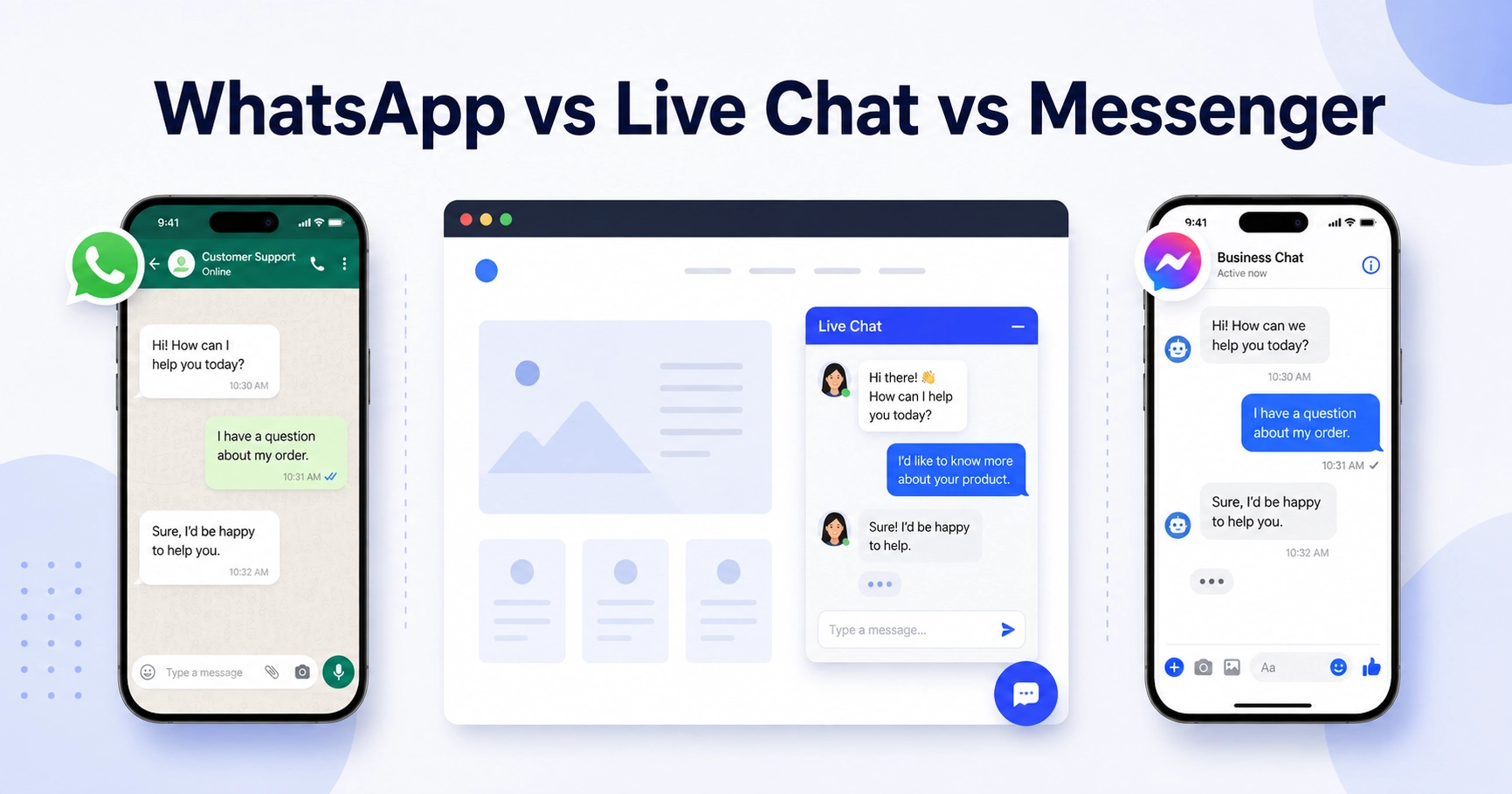

You’ve narrowed a WordPress chat plugin search down to three real options: a WhatsApp-style click-to-chat button, a traditional live chat widget, or a Facebook Messenger box. Comparing WhatsApp vs Live Chat vs Messenger on paper doesn’t tell you which one your actual visitors will use, and picking wrong means a chat bubble nobody clicks.
Full disclosure: we build two of the three plugins in this comparison, Chat Help for WhatsApp and Better Chat Support for Messenger. We’re not going to pretend one of them is the universal winner, because it isn’t. The honest answer depends on where your visitors already spend their time, and that’s what this guide walks through.
Key Takeaways
- There’s no single best chat widget for every site. WhatsApp click-to-chat, live chat, and Messenger each win with a different audience and use case.
- WhatsApp adoption varies enormously by region: it reaches 93.9% of Brazil’s online audience and 80.8% of India’s internet users, versus 32% of US adults (DataReportal, Pew Research, 2025).
- 66% of consumers expect a live chat reply within 5 minutes, which makes staffing the real cost of running live chat well (HubSpot, 2025).
- 73.3% of consumers across 22 markets say they’d rather message a business than contact it another way, and 72.4% are more likely to buy from brands that offer messaging (Meta/Kantar, 2025).
- Running more than one chat option at once is fine as long as you avoid stacking two widgets in the same corner with no clear priority between them.
- Pick a chat type based on where your visitors already talk to you, not based on which plugin has the longest feature list.
Full disclosure: we build two of the three plugins in this comparison, Chat Help for WhatsApp and Better Chat Support for Messenger. We’re not going to pretend one of them is the universal winner, because it isn’t. The honest answer depends on where your visitors already spend their time, and that’s what this guide walks through.
Table of Contents
Why “Best Chat for Website” Doesn’t Have One Answer
Search “best chat for website” and you’ll get lists that rank every chat plugin against the same generic checklist: setup speed, price, integrations. A real WhatsApp vs Live Chat vs Messenger comparison has to go further, because a chat widget only works if visitors recognize it and are willing to tap it. That recognition is shaped by geography, industry, and habit far more than by feature count.
A WhatsApp button makes sense to a shopper in São Paulo the way a live chat bubble makes sense to a SaaS buyer in Chicago. Neither is objectively better. They’re built for different default behaviors, and matching the widget to the behavior your visitors already have is most of the decision.
WhatsApp Chat: What It Is and Where It Wins
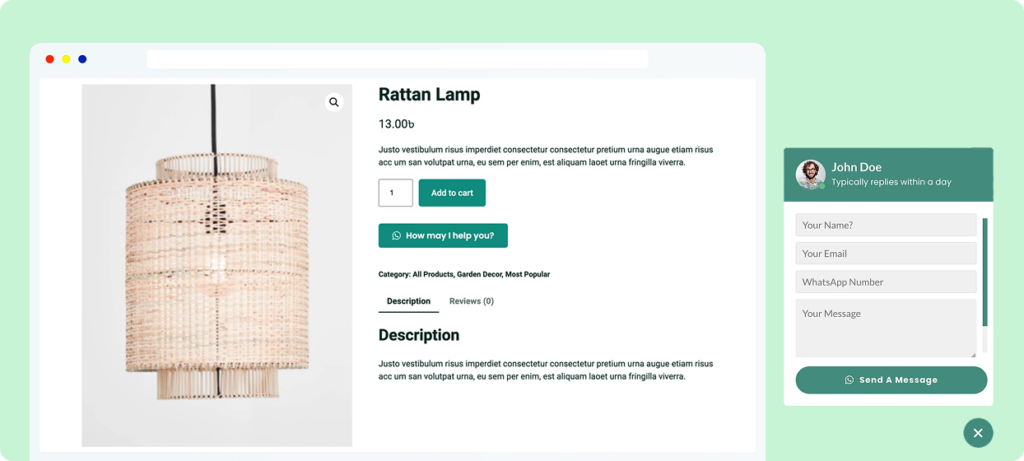
WhatsApp click-to-chat adds a button that opens a pre-filled WhatsApp conversation, either on the visitor’s phone or in WhatsApp Web on desktop. There’s no in-page chat window and no account for the visitor to create. They tap, land in an app they likely already use daily, and type.
That familiarity is the entire pitch, and it’s a regional one. WhatsApp reaches 93.9% of Brazil’s online population and 80.8% of India’s internet users, home to its largest single-country market at roughly 535.8 million users (DataReportal: Digital 2025 Brazil; DataReportal: Digital 2025 India, 2025). In the US, usage is real but smaller: 32% of adults now use WhatsApp, up from 23% in 2021 (Pew Research Center, November 2025). Meta reports WhatsApp has passed 3 billion monthly active users worldwide, with more than 100 million of those in the US and growing (TechCrunch, reporting Meta’s Q1 2025 earnings call).
WhatsApp chat tends to win for local service businesses, consultants, and any brand where a direct, personal-feeling conversation matters more than a formal support queue. It’s also the default expectation for a large share of shoppers outside the US, so an international or export-focused store often needs it regardless of what else is on the page.
This is the category Chat Help is built for: a WordPress plugin that adds a customizable WhatsApp click-to-chat button, with a free version available on WordPress.org. For a walkthrough of getting the button live, see our guide to adding a WhatsApp chat button to your WordPress site.
Live Chat: What It Is and Where It Wins
Live chat is the in-page widget most people picture first: a chat window that opens without leaving your site, usually staffed by a support team or a bot during set hours. It’s the closest thing to a phone call for a website, and visitors judge it on speed. 66% of consumers expect a live chat response within five minutes (HubSpot, 2025), which means the real cost of live chat isn’t the plugin, it’s having someone available to answer fast enough to meet that expectation.
Live chat sessions are close to evenly split between mobile and desktop, at 50.5% and 49.5% respectively (LiveChat, 2025), so a widget that’s awkward on a phone loses roughly half its potential conversations before they start. Gartner also projects that self-service and live chat will overtake phone and email as the top-valued customer service technologies by 2027, based on a survey of 265 customer service and support leaders (Gartner, August 2025).
Live chat suits SaaS products, e-commerce stores with a staffed support team, and any business where visitors expect an immediate, on-page answer rather than switching to a separate app. It’s a weaker fit if nobody’s actually watching the queue, since an unanswered chat window reads worse to a visitor than no chat option at all.
Messenger Chat: What It Is and Where It Wins
Messenger chat routes conversations from your website into Facebook Messenger, either through an on-page widget or a link that hands off to the Messenger app. It fits naturally on sites with an active Facebook presence, especially social-commerce brands whose customers already message the Facebook Page directly with product questions.
Meta sets a public bar for what “responsive” looks like on Messenger: a Facebook Page earns the “Very Responsive” badge, shown to visitors, once it replies to 90% or more of messages within 15 minutes (Meta Business Help Center). Messaging in general is a strong purchase driver: 73.3% of consumers across 22 markets say they prefer messaging a business over other contact methods, and 72.4% say they’re more likely to buy from a brand that offers it (Meta/Kantar, The State of Business Messaging, 2025).
Messenger chat tends to win for brands running Facebook ads or retargeting, businesses with an already-engaged Page audience, and social-commerce sellers who take orders through comments and DMs as much as through a storefront. It’s a weaker fit if your traffic doesn’t come from Facebook at all, since asking a visitor to open an app they don’t otherwise use adds friction.
This is what Better Chat Support is built for on WordPress, with a free version on WordPress.org that adds a Messenger chat widget to your site.
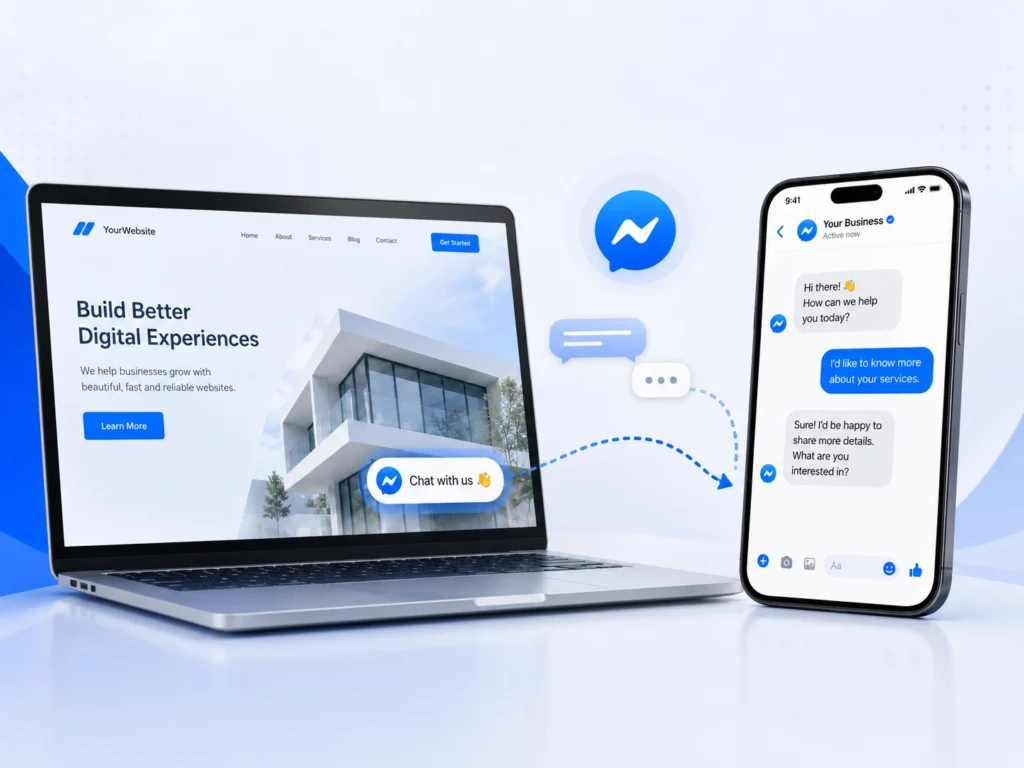
WhatsApp vs Live Chat vs Messenger: Feature Comparison
Side by side, the three options trade off differently on setup effort, cost, and who’s likely to actually use them. None wins across every row, which is the point.
| Factor | WhatsApp Chat | Live Chat | Messenger Chat |
|---|---|---|---|
| Setup complexity | Low — button links to WhatsApp | Moderate — needs staffing/routing setup | Low to moderate — connects to your Facebook Page |
| Free tier available | Yes, generally | Varies widely by plugin | Yes, generally |
| Visitor familiarity | Very high outside the US, growing in the US | High for on-site support, especially SaaS/ecommerce | High for Facebook-engaged audiences |
| Mobile experience | Native — visitor’s own WhatsApp app | Mixed — depends on plugin’s mobile design | Native — visitor’s own Messenger app |
| Best-fit business type | Local services, consultants, international audiences | SaaS, ecommerce with staffed support | Facebook-ad-driven, social-commerce brands |
Two Real-World Scenarios
The Local Service Business
A plumber or a hair salon gets most inquiries as quick, personal questions: “Are you free Thursday?” or “Do you take walk-ins?” Visitors expect a real reply, not a support ticket. A WhatsApp button usually beats live chat here, since it doesn’t require staffing a browser tab and the conversation can continue after the visitor leaves the site. Live chat only wins if the business already has someone monitoring a dashboard during business hours.
The Social-Commerce Store
A store built on Instagram and Facebook traffic, where shoppers already comment and DM about products, tends to see Messenger chat used more than a generic widget, since it meets the buyer in the same app they discovered the product in. Cart abandonment averages 70.22% across documented ecommerce studies (Baymard Institute, 2025), and a familiar chat channel at checkout can resolve a last-minute question before that happens. WhatsApp is worth testing too if a meaningful share of buyers are outside the US.
Can You Run More Than One at Once?
Yes. There’s nothing stopping a site from running WhatsApp chat and live chat, or WhatsApp and Messenger, at the same time. Plenty of sites do, especially ones serving a mixed audience across regions or channels.
The tradeoff is clutter, not conflict. Two floating buttons in the same corner competing for attention looks messy and forces the visitor to guess which one actually gets a faster answer. If you run more than one, place them in different corners, or default to one and offer the other as a secondary link, so there’s a clear primary option.
How to Decide in Under Five Minutes
- Check where your customers already message you today, whether that’s WhatsApp, Facebook, email, or phone.
- If a meaningful share of your traffic is outside the US, weight WhatsApp higher than you’d otherwise assume.
- If you can staff real-time replies during business hours, live chat becomes viable. If you can’t, skip it for now.
- If a meaningful share of traffic comes from Facebook or Instagram ads, Messenger deserves a real test.
- Pick one primary option, install it, and give it a few weeks of real traffic before adding a second.
Setting Up Chat Help or Better Chat Support on WordPress
Both plugins follow the same general pattern as most WordPress chat tools: install from the plugin repository, activate, and connect your WhatsApp number or Facebook Page from the plugin’s settings screen. [VERIFY — exact setting/feature name: confirm the current settings page labels and connection flow for both Chat Help and Better Chat Support before publishing, since plugin UIs change between versions.]
From there, most site owners customize the button’s color, position, and greeting message, then test it on both desktop and mobile before launch. This guide intentionally stays at the category level.
Common Mistakes When Choosing a Chat Widget
- Installing every option “just in case.” More widgets doesn’t mean more conversations, it usually means visitor confusion and a slower page.
- Picking based on personal preference instead of audience data. The plugin you personally like isn’t the one your visitors will use.
- Ignoring the mobile experience. With roughly half of chat sessions happening on mobile, a widget that’s clumsy on a phone loses half its potential value.
- Turning on live chat without staffing it. An unanswered chat window sets an expectation and then breaks it, which reads worse than not offering chat at all.
Frequently Asked Questions
What’s the difference between WhatsApp chat and live chat on a website?
WhatsApp chat opens a conversation in the visitor’s own WhatsApp app, so the chat continues after they leave your site. Live chat happens inside a widget on the page itself, typically staffed in real time during set hours, and the conversation history usually stays tied to that browsing session rather than a personal app.
Is Messenger chat still worth adding to a WordPress site?
It depends on where your traffic comes from. If a meaningful share of visitors arrive from Facebook or Instagram, or your audience already messages your Page, Messenger chat gives them a familiar option. If your traffic isn’t Facebook-driven, it’s a lower priority than WhatsApp or live chat.
Can I use WhatsApp chat and live chat together?
Yes, many sites run both without issue. Keep them visually separated, such as opposite corners of the screen, and settle on one as the default so visitors aren’t left guessing which option gets the faster reply.
Which chat widget converts best for e-commerce?
There’s no single answer backed by solid public data, and be wary of vendor claims citing a specific conversion percentage without a named study behind them. What’s well documented is that messaging-friendly brands see higher purchase intent, with 72.4% of consumers more likely to buy from businesses that offer messaging (Meta/Kantar, 2025).
Do chat widgets slow down my WordPress site?
They can, depending on the plugin’s scripts and whether the widget loads on every page or only where needed. Test your site’s load time before and after installing any chat plugin rather than assuming it’s lightweight, and disable it on pages where it isn’t useful, like checkout.
How do I add a WhatsApp chat button to WordPress?
Install a WhatsApp click-to-chat plugin like Chat Help from the WordPress plugin repository, activate it, and connect your WhatsApp number from the settings screen. Most plugins let you customize the button’s color, position, and pre-filled greeting message before it goes live on your site.
Bottom Line
WhatsApp vs Live Chat vs Messenger isn’t a contest with one universal winner. WhatsApp suits personal, international, and local-service conversations. Live chat suits sites that can staff real-time replies. Messenger suits Facebook-driven and social-commerce audiences. Start with whichever one matches where your visitors already are, run it for a few weeks, and add a second option only once the first is genuinely working.
Reviewed by the ThemeAtelier team, who build both Chat Help and Better Chat Support. Last reviewed: September 2026.