
Some visitors leave your site because the bright white screen hurts their eyes at night. A customer messages you on Messenger and never hears back. Your event page looks like it was built in 2014. And that spare domain you bought two years ago? It just sits there, quiet, earning nothing. These are small problems on paper. In practice, they cost you sales every week. The ThemeAtelier plugins exist to fix exactly these kinds of everyday headaches — one focused tool at a time.
We build WordPress plugins for business owners, not for engineers. You don’t need to write code or read documentation for an hour. You install one, flip it on, and the problem you kept ignoring finally gets handled. This guide walks through all seven tools, who each one is for, and how to pick the right starting point.
Key Takeaways
- Darkify — adds a real dark mode so visitors can read at night without eye strain.
- ChatHelp — catches customer questions through WhatsApp, Telegram, and live chat so nothing slips through.
- Messenger Chat Support — brings Facebook Messenger chat straight onto your site.
- Greet Bubble — greets new visitors with a friendly floating message that starts conversations.
- Eventful — builds clean, modern event pages with schedules, tickets, and speakers.
- Eventful for Elementor — drops those same event layouts into the Elementor builder you already use.
- Domain For Sale — turns a parked domain into a landing page that collects real buyer inquiries.
Table of Contents
Why Trust ThemeAtelier?
ThemeAtelier started in 2017. We’ve spent years shipping plugins, fixing bugs, and answering support tickets from real people running real websites. Today more than 5,000 users rely on our tools, and our products hold a 4.7-star average rating.
We’re not going to pretend every plugin is perfect for every site. Some tools won’t fit your needs, and we’ll tell you when that’s the case. If a plugin doesn’t work out, our 14-day refund policy has you covered. That’s the honest promise behind the WordPress plugins for business we build.
We’d rather solve one problem really well than solve ten problems halfway. Every plugin here does a single job — and does it right.
The ThemeAtelier Plugins at a Glance
Not sure which tool matches your problem? This table gives you the short version. Read down the “Solves” column and stop when something sounds like your week.
| Plugin | Solves | Best For |
|---|---|---|
| Darkify | Eye strain and no dark mode option | Blogs, magazines, content sites |
| ChatHelp | Missed customer messages | Shops, service businesses, support teams |
| Messenger Chat Support | Facebook leads with no reply | Brands active on Facebook |
| Greet Bubble | Visitors leaving without engaging | Landing pages and small businesses |
| Eventful | Outdated, messy event pages | Event organizers and venues |
| Eventful for Elementor | Event layouts inside Elementor | Elementor users and agencies |
| Domain For Sale | Idle domains earning nothing | Domain investors and flippers |
1. Darkify — A Dark Mode Your Readers Will Thank You For
The Problem
People read at night. They read in bed, on the couch, on the train home. A bright white page in a dark room is uncomfortable, and uncomfortable readers leave. More phones and browsers now default to dark mode, yet most WordPress sites still blast full white. That gap costs you time-on-page and return visits.
The Solution
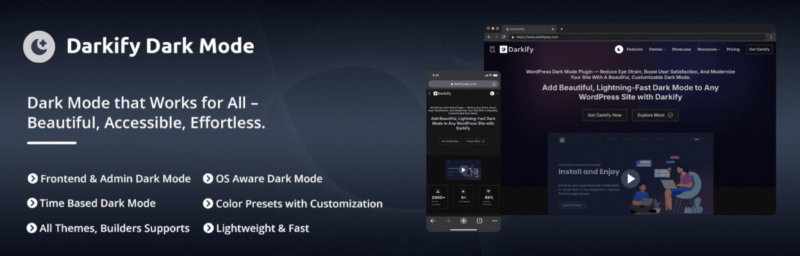
Darkify adds a proper dark mode to your site in minutes. Visitors get a toggle to switch themes, or the plugin can follow their device setting automatically. Your colors, images, and layout stay intact — just easier on the eyes. No theme editing. No custom CSS unless you want it.
Key Features
- One-click dark mode toggle for visitors
- Automatic switching based on the reader’s device
- Custom color controls to match your brand
- Works with most themes out of the box
- Lightweight, so it won’t slow your pages down
Best For
Darkify fits blogs, news sites, magazines, and any content-heavy site where people read for a while. If your traffic climbs in the evenings, this is the plugin your audience has quietly been wanting.
Curious how it stacks up against other options? Read our honest breakdown in Darkify vs WP Dark Mode, or see the full feature list on the Darkify website.
2. ChatHelp — Stop Losing Customers to Silence
The Problem
A customer has a question right before they buy. If they can’t ask it fast, they don’t wait — they leave. Contact forms feel slow. Email feels formal. Most people would rather send a quick message on the app they already use, then get on with their day.
The Solution
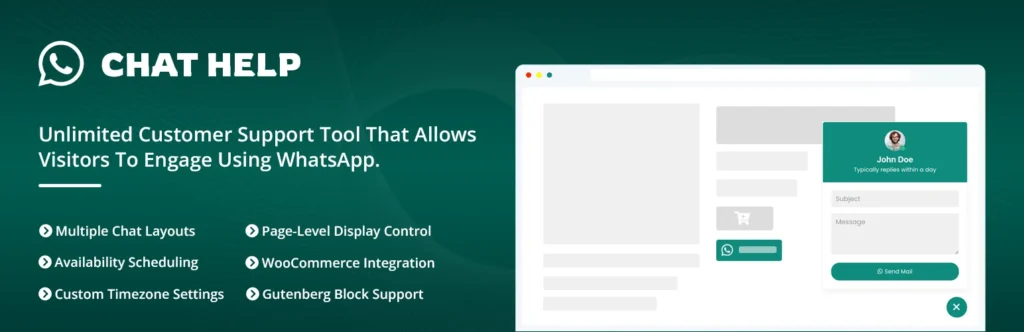
ChatHelp puts a chat button on your site that connects to the tools people actually use — WhatsApp, Telegram, live chat, and more. Visitors tap it and reach you in one step. You answer from your phone. Questions turn into replies, and replies turn into sales.
Key Features
- Support for WhatsApp, Telegram, live chat, and multiple channels
- Multiple agents so a team can share the load
- Custom button styles and positions
- Set office hours and away messages
- Works on mobile, where most chats actually happen
Best For
ChatHelp suits online shops, service businesses, and any support team that hears “I messaged you and no one replied.” If speed of response is costing you deals, start here.
See how the channels connect on the ChatHelp website.
💡 Tip: Reply speed beats reply length. A one-line “Yes, we ship Monday — want the link?” within a few minutes closes more sales than a perfect paragraph an hour later.
3. Messenger Chat Support — Bring Facebook Conversations Onsite
The Problem
Plenty of your audience lives on Facebook. They found you there, they trust it, and they’d happily message your page. But sending them off your site to open Messenger adds friction, and some never come back to finish what they started.
The Solution
Messenger Chat Support adds a Facebook Messenger chat widget right on your website. Visitors chat with your page without leaving. The whole conversation lands in your Messenger inbox, so you keep one tidy history instead of scattered notes across tools.
Key Features
- Official Facebook Messenger chat on any page
- Conversations saved straight to your Messenger inbox
- Custom greeting and brand colors
- Control where and when the widget appears
- Quick setup with your existing Facebook page
Best For
This one is for brands with an active Facebook presence — local shops, creators, and community pages that already get steady messages and want them handled in one place.
4. Greet Bubble — Say Hello Before They Bounce

The Problem
A new visitor lands on your page, scans for a second, and leaves. They never scroll, never ask, never click. Nothing greeted them or nudged them to stay. A cold page gives people no reason to take the first step.
The Solution
Greet Bubble shows a warm, floating greeting when someone arrives. A simple “Hi there — need a hand?” invites them to reply or click through. It’s a small touch that makes a page feel human, and it gently opens the door to a conversation or a sale.
Key Features
- Friendly floating greeting bubble
- Custom message, timing, and delay
- Link the bubble to chat, a page, or an offer
- Style controls to match your brand
- Pairs neatly with ChatHelp or Messenger Chat Support
Best For
Greet Bubble works well on landing pages, small business sites, and promotions where that first hello decides whether someone stays or slips away.
5. Eventful — Event Pages That Look Current
The Problem
Event pages age badly. Dates run together, the schedule is a wall of text, and there’s no clear place to register. When your page looks dated, people quietly wonder if the event will be too. First impressions sell tickets, and a messy page sells doubt.
The Solution
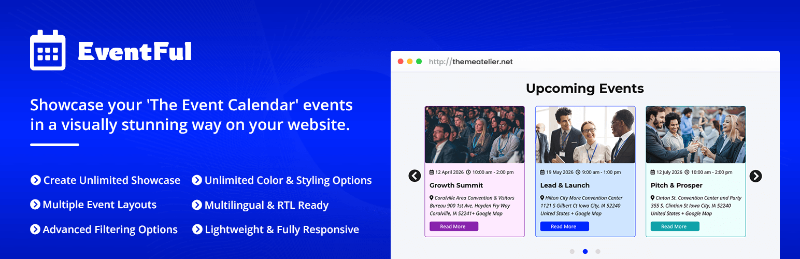
Eventful helps you build clean, modern event pages without a designer. Add schedules, speakers, venues, and ticket links in a layout that looks organized and current. Visitors see what’s happening, when, and how to join — all in a few clear taps.
Key Features
- Ready-made layouts for schedules and agendas
- Speaker and venue sections
- Ticket and registration links
- Countdown and date handling done for you
- Mobile-friendly pages that look sharp on any screen
Best For
Eventful fits conference hosts, workshop runners, venues, and anyone tired of rebuilding event pages from scratch each season.
If you also compare calendar tools, our guide to the best events calendar add-ons and extensions is a useful companion read. You can also explore the full toolkit on the Eventful website.
6. Eventful for Elementor — The Same Events, Inside Your Builder
The Problem
You built your whole site in Elementor. You like the drag-and-drop control. Then event content forces you into a separate tool with its own look, and suddenly your pages don’t match. Switching between systems slows you down and breaks the flow.
The Solution
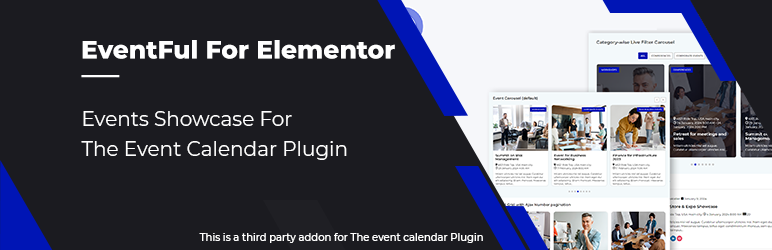
Eventful for Elementor brings event widgets right into the Elementor editor. Drag in schedules, speakers, and event grids, then style them like everything else on your page. Your events finally match your brand, and you never leave the builder you know.
Key Features
- Native Elementor widgets for events
- Drag-and-drop schedules, speakers, and grids
- Full styling control inside Elementor
- Consistent design across your whole site
- Works alongside the core Eventful plugin
Best For
This is for Elementor users and agencies who want event content that blends into their design system instead of fighting it.
7. Domain For Sale — Make Idle Domains Earn

The Problem
You own domains you’re not using. Maybe you bought them for a project that never launched, or you flip names on the side. Parked on a registrar’s default page, they say nothing and collect no leads. A buyer might visit, see a blank holding page, and move on.
The Solution
Domain For Sale turns any parked domain into a clean “for sale” landing page. It shows the price or an offer form and captures inquiries from serious buyers. Instead of a dead end, each domain becomes a small, always-on sales page working while you sleep.
Key Features
- Professional “domain for sale” landing pages
- Inquiry and offer forms that collect buyer details
- Show a fixed price or invite offers
- Custom branding and layout
- Set up multiple domains fast
Best For
Domain For Sale is built for domain investors, flippers, and anyone sitting on names that should be generating inquiries instead of gathering dust.
See example landing pages on the Domain For Sale website.
How the ThemeAtelier Plugins Work Together
Each tool solves one problem, but they’re better as a set. Here are a few real stacks people build with the ThemeAtelier plugins, depending on what they run.
Local Business Stack
Pair Darkify for comfortable reading, ChatHelp to catch questions on WhatsApp, and Greet Bubble to welcome first-time visitors. Together they make a small site feel warm and responsive — the online version of a shopkeeper who looks up and says hello.
Agency Stack
Agencies lean on Eventful for Elementor to keep client event pages on-brand, ChatHelp for fast client support, and Darkify as an easy value-add on any build. One consistent toolkit across many client sites saves real hours.
Event Organizer Stack
Run Eventful for polished schedules, add Greet Bubble to push registrations, and use ChatHelp for last-minute attendee questions. Your page informs, invites, and answers — all in one place.
Domain Investor Stack
Combine Domain For Sale to list your names with ChatHelp so interested buyers can reach you instantly. A serious buyer lands, sees the price, and starts a conversation on the spot.
If you run several of these tools, the ThemeAtelier Mega Bundle gathers them into one package at a lower combined price. Wondering whether that route pays off? Our take on whether WordPress plugin bundles are worth it lays out the math.
Which Plugin Should You Start With?
Don’t install all seven at once. Start with your biggest headache and grow from there. Find your problem below and follow the arrow.
- If your biggest problem is eye strain and night reading → start with Darkify.
- If your biggest problem is missed customer messages → start with ChatHelp.
- If your biggest problem is Facebook leads going cold → start with Messenger Chat Support.
- If your biggest problem is visitors bouncing instantly → start with Greet Bubble.
- If your biggest problem is outdated event pages → start with Eventful (or Eventful for Elementor if you build in Elementor).
- If your biggest problem is parked domains earning nothing → start with Domain For Sale.
Frequently Asked Questions
What are ThemeAtelier plugins?
ThemeAtelier plugins are a set of seven focused WordPress tools built for business owners, not developers. Each one solves a single problem — dark mode, live chat, Messenger support, visitor greetings, event pages, Elementor events, and parked-domain sales. ThemeAtelier has served 5,000+ users since 2017.
Which ThemeAtelier plugin should I install first?
Start with your biggest pain point. Choose Darkify for reader comfort, ChatHelp for customer messages, Eventful for event pages, or Domain For Sale for idle domains. Install one, make sure it earns its place, then add the next tool when a new problem appears.
Are ThemeAtelier plugins beginner-friendly?
Yes. They’re made for people who don’t write code. You install from WordPress, turn on the settings you need, and you’re done in minutes. The wording avoids jargon, and every plugin is backed by a 14-day refund policy if it isn’t the right fit.
Can I use multiple ThemeAtelier plugins together?
Absolutely. They’re designed to work side by side. Many owners run a stack — for example Darkify, ChatHelp, and Greet Bubble together on a small business site. Mixing tools is common, and the Mega Bundle makes running several of them more affordable.
Is the Mega Bundle worth it?
If you plan to use three or more plugins, the Mega Bundle usually costs less than buying them one by one. If you only need a single tool, buy that one. Either way, the 14-day refund policy lets you try without risk and decide for yourself.
Pick the Problem, Not the Plugin
The ThemeAtelier plugins share one simple idea: find a real business problem and solve it well. Darkify saves tired eyes. ChatHelp and Messenger Chat Support keep conversations alive. Greet Bubble breaks the ice. Eventful and its Elementor version make events look current. Domain For Sale wakes up idle domains.
You don’t need all of them. You need the one that fixes what’s bugging you this week. Start there, see the difference, and add more when it makes sense. That’s how good WordPress plugins for business are supposed to work — quietly, reliably, and without the drama.