
The Events Calendar does the heavy lifting for event management on WordPress, but let’s be honest: its default views look plain — and nearly identical from one website to the next. This guide to the best The Events Calendar add-ons in 2026 covers event layouts, Elementor integration, ticketing and RSVPs, automatic imports, community submissions, and email promotion. Every pick was selected on the same criteria: current availability, compatibility, practical usefulness, ease of use, and value.
Disclosure: Eventful and Eventful for Elementor are our own plugins. We’ve kept the comparisons factual, and we’ve included the tools we genuinely recommend even when they compete with ours.
Key Takeaways
- Eventful is our top overall pick for event display — sliders, grids, lists, and a timeline that all work with free The Events Calendar (Pro from $49/year).
- Eventful for Elementor is the best choice for Elementor sites and needs only free Elementor — no Elementor Pro.
- The official add-ons are now sold as bundled Liquid Web plans from $259/year (checked July 2026).
- Five of the nine picks have free versions, so you can test before you buy.
Table of Contents
Quick Comparison: best The Events Calendar add-ons at a Glance
| Plugin | Best For | Free Version? | Starting Price |
|---|---|---|---|
| Eventful | Event display layouts | Free + paid upgrade | $49/year (now $19.60) |
| Eventful for Elementor | Elementor grid & carousel widgets | Free + paid upgrade | $39/year (now $15.60) |
| Events Calendar Pro | Recurring events & extra views | No (core calendar is free) | Plans from $259/year |
| Event Tickets / Plus | Tickets, RSVPs, check-in | Free + paid upgrade | Pro plan, $399/year |
| Event Aggregator | Automatic event imports | No | Plans from $259/year |
| Community Events | User-submitted events | No | Plans from $259/year |
| TEC Shortcode & Block | Simple event lists anywhere | Free + paid upgrade | $49/year |
| Events Widgets for Elementor | Alternative Elementor add-on | Free + paid upgrade | $49/year (reg. $59) |
| Promoter | Event email marketing | No | Elite plan, $599/year |
A note on pricing: pricing and availability were checked in July 2026 and may change. The official add-ons are now sold through bundled Essentials, Pro, and Elite plans on Liquid Web rather than as individual licenses; we’ve listed the cheapest plan that includes each one.
1. Eventful – Best Overall for Event Display
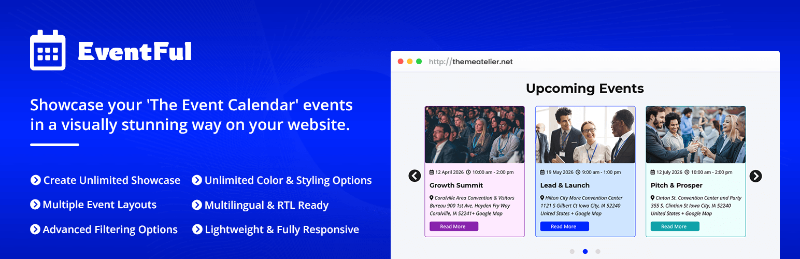
Eventful tackles the most common complaint about The Events Calendar head-on: how events actually look on the page. It displays your existing events as sliders, carousels, grids, minimal lists, or a vertical timeline — that last one arrived in version 2.2.0 in May 2026 — and everything works with the free version of The Events Calendar.
Layouts build through a Gutenberg block, an Elementor widget, or shortcodes, and it plays nicely with Divi, WPBakery, and Brizy. The shortcode generator exposes 300+ customization options.
Standout features
- Sliders, carousels, grids, minimal lists, and a vertical timeline layout
- AJAX filter bar for categories and tags, plus live search
- Drag-and-drop content ordering and 9+ pre-made templates
- Events Schema (JSON-LD), WPML/Polylang, RTL, and multisite support
The filtering controls set it apart in practice: you can hide free events or skip events without featured images. One WordPress.org reviewer (matsimplicity, April 2026) said the free version gave them enough display control that they didn’t need Events Calendar Pro, and support fixed their issue within hours — one person’s experience, but consistent with its 5.0-star rating.
Best for: attractive event showcases — grids, sliders, or timelines — without touching template files.
Pros: works with free TEC; wide layout variety; page-builder agnostic; events schema included. Cons: newer, with a smaller install base than the official products; the many display settings take time to explore; advanced designs need Pro.
Pricing: free on WordPress.org. Pro starts at $49/year for one site — discounted to $19.60/year at the time of writing — with lifetime licenses from $149 (currently $44.70). A live demo of the free version shows every layout.
2. Eventful for Elementor – Best for Elementor Users
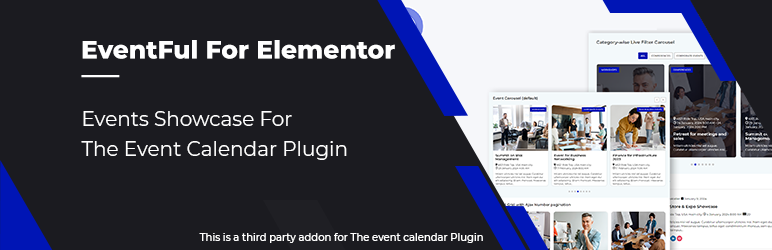
On an Elementor site, a shortcode-first plugin feels like a workaround. Eventful for Elementor is a dedicated The Events Calendar Elementor addon with two purpose-built widgets — Eventful Grid and Eventful Carousel — for designing event sections visually, with full Style tab control. It needs only free Elementor and free The Events Calendar; Elementor Pro is not required.
Standout features
- Carousel modes (Standard, Center, Ticker) with Slide, Fade, Coverflow, Cube, and Flip transitions
- AJAX taxonomy filters (dropdown, radio, checkbox, or button) plus organizer, keyword, and date filters, including custom ranges
- Four pagination modes: Load More, AJAX numbers, infinite scroll, standard
- Retina 2x images, lazy loading, zoom/grayscale hovers, and per-breakpoint columns
Setup is quick if you already know Elementor — drop the widget in, pick a layout, and everything lives in the familiar panel. RTL layouts are supported, and it holds a 5.0-star rating on WordPress.org at the time of writing.
Best for: Elementor-based sites that want native-feeling event grids and carousels with real filtering.
Pros: no Elementor Pro required; deep carousel and filter options; per-breakpoint responsive controls. Cons: built specifically for Elementor — if you use another builder, standard Eventful is the better pick; some advanced filtering and design options sit in Pro.
Pricing: free on WordPress.org. Pro starts at $39/year for one site — $15.60/year at the time of writing — with lifetime licenses from $119 (currently $35.70).
3. Events Calendar Pro – Best Official Premium Upgrade
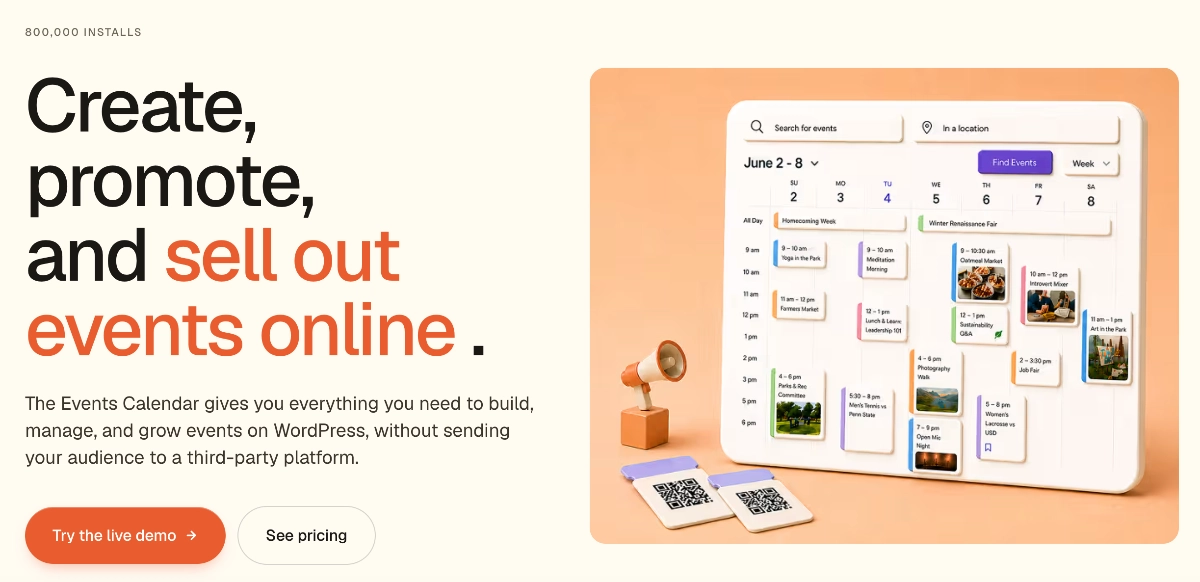
Events Calendar Pro is the official premium upgrade from The Events Calendar team, now part of the Liquid Web family. It adds what serious event sites eventually need: recurring events, seven calendar views, and virtual and hybrid event support.
Standout features
- Recurring events with flexible rules
- Seven calendar views
- Virtual and hybrid event support
- Guaranteed compatibility with the official ecosystem
It feels like a natural extension of the free plugin — same admin screens, same event editor — so there’s little new to learn. The catch is how it’s sold in 2026: Pro features now come through bundled plans from $259/year. Good value if you’ll use the bundled ticketing and import tools; harder to justify for recurring events alone.
Best for: recurring events, more calendar views, and official support under one roof.
Pros: official product with tight core integration; recurring events done properly; plans bundle several former add-ons. Cons: no standalone license at the time of writing; $259/year is steep for a single feature.
Pricing: included in plans from $259/year (Essentials) at the time of writing.
4. Event Tickets & Event Tickets Plus – Best for Ticketing and RSVPs
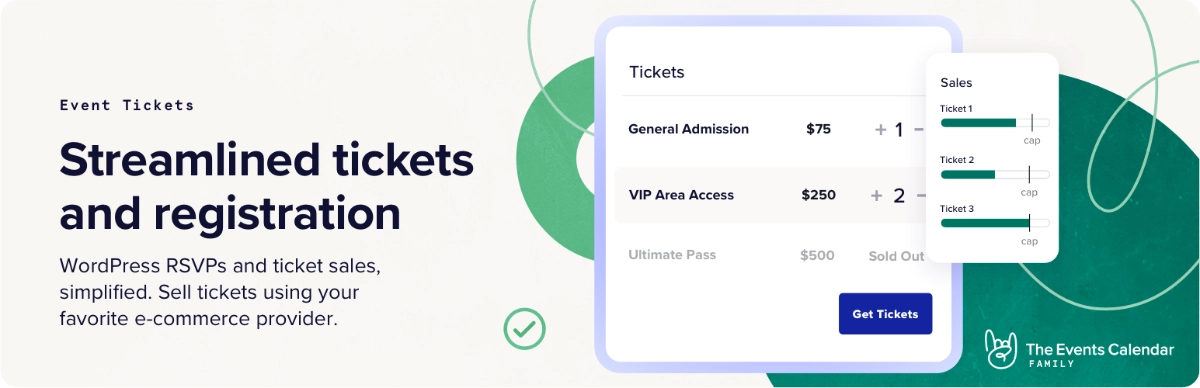
Need to actually get people through the door? Event Tickets is the official ticketing companion for The Events Calendar, and its free version is more capable than most expect: RSVPs plus paid and free ticket sales through Tickets Commerce, with Stripe and PayPal. It runs on 90,000+ sites and shipped version 5.29.0 in July 2026.
Standout features
- Free RSVPs and ticket sales via Stripe and PayPal
- WooCommerce integration and zero-commission ticketing (premium)
- Custom registration forms and attendee reports
- QR code check-in at the door
Best for: selling tickets, collecting RSVPs, and managing attendees without leaving WordPress.
Pros: genuinely useful free version; official TEC integration; scales to serious ticket operations. Cons: the best commerce features need the $399/year plan; payment gateways take some setup time.
Pricing: free on WordPress.org; premium ticketing (formerly Event Tickets Plus) is part of the Pro plan at $399/year at the time of writing.
5. Event Aggregator – Best for Automatically Importing Events
Manually copying events into WordPress gets old fast. Event Aggregator is the official import service that pulls events into The Events Calendar automatically from sources such as Google Calendar, iCalendar feeds, and CSV files, on a schedule you set once.
Standout features
- Scheduled, recurring imports instead of one-off copy-paste
- Multiple source types, including calendar feeds and CSV
- Included in every plan — 100 imports/day on Essentials, 200 on Pro
Setup takes a few minutes per source, then it’s hands-off — the feature that makes “what’s on in town” sites sustainable.
Best for: sites that republish events from external calendars on a regular schedule.
Pros: saves hours of manual entry; generous import limits. Cons: no standalone purchase; overkill if you add a few events by hand each month.
Pricing: included in plans from $259/year at the time of writing.
6. Community Events – Best for User-Submitted Events
Community Events flips the calendar around: visitors and members submit events through a front-end form, and you approve or reject them from a moderation queue — nobody needs a wp-admin login.
Standout features
- Front-end event submission form, no dashboard access needed
- Moderation workflow so nothing publishes without review
- Included in the Essentials plan and above
It’s the standard answer for chambers of commerce, community hubs, and membership sites. Submissions land as pending events, so reviewing them feels like moderating comments.
Best for: community calendars where visitors or members supply the events.
Pros: clean submission-and-approval flow; keeps contributors out of the admin. Cons: only available inside a plan; unnecessary if your team creates every event internally.
Pricing: included in plans from $259/year at the time of writing.
7. The Events Calendar Shortcode & Block – Best Simple Shortcode Alternative
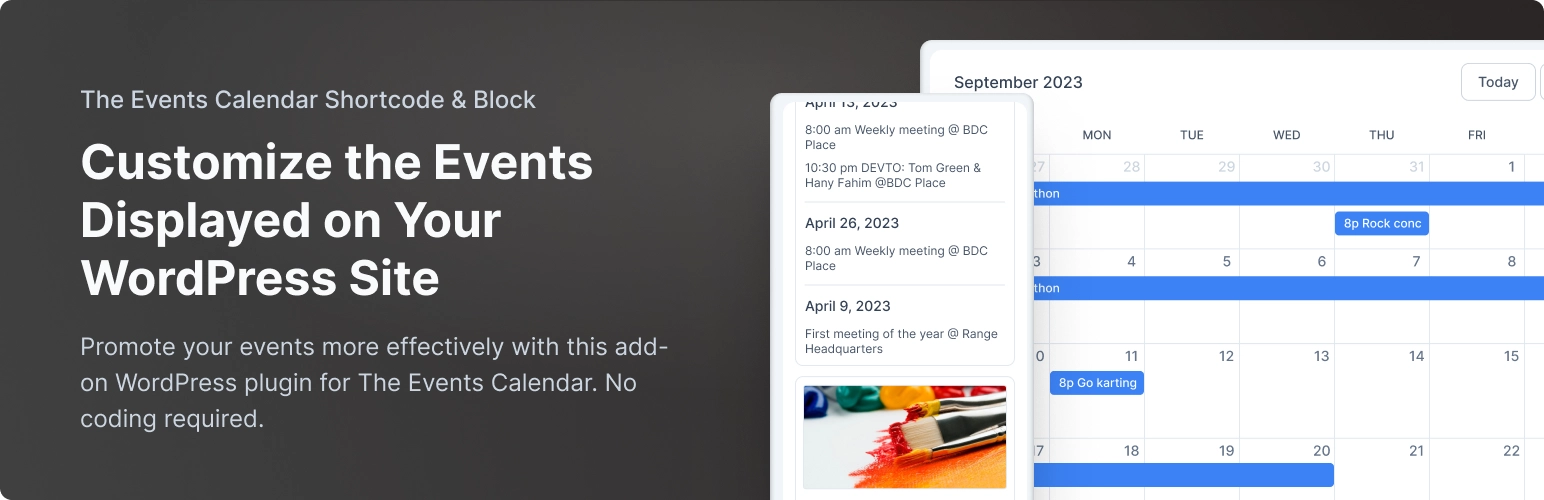
Sometimes you just need a tidy list of upcoming events in a sidebar or on the homepage. The Events Calendar Shortcode & Block by Event Calendar Newsletter does exactly that — and has earned 10,000+ installs and a 4.7-star rating doing it.
Standout features
- Drop event lists into any post, page, or widget via block or shortcode
- Category filtering, event limits, and ordering controls in the free version
- Pro adds 8+ designs (calendar, compact, columns, table, grouped) and 17 filtering criteria
- Works with the block editor, Elementor, and Bricks
The free version is deliberately minimal, and that’s its charm — very little to configure, so it’s hard to get wrong. Version 4.0.0 shipped in June 2026.
Best for: quick, no-frills event lists without a big settings screen.
Pros: very easy to set up; lightweight; a long track record. Cons: free designs are basic; most visual polish, including the calendar view, sits behind Pro.
Pricing: free on WordPress.org; Pro from $49/year for one site (lifetime from $169) at the time of writing.
8. Events Widgets for Elementor – Best Alternative Elementor Add-on

Events Widgets for Elementor by Cool Plugins is the other established Elementor option, with 10,000+ active installs and a 4.5-star rating from over 100 reviews. The free version covers list and calendar layouts with category filtering, date-range controls, and schema markup.
Standout features
- List and calendar layouts free; grid and carousel in Pro
- Events Loop Builder (Pro) for custom event card templates
- AJAX search and filter bar, plus venue, organizer, and tag filters (Pro)
- ACF support for sites with custom event fields
How does it stack up against Eventful for Elementor? The loop builder is the differentiator for custom event cards, while Eventful for Elementor costs less and offers more carousel modes. Both are credible picks.
Best for: Elementor users who want a loop builder for custom event card designs.
Pros: mature plugin with a big user base; flexible loop builder; free calendar layout. Cons: grid and carousel require Pro; needs both Elementor and The Events Calendar active.
Pricing: free on WordPress.org; Pro starts at $49/year for one site (regular $59) at the time of writing.
9. Promoter – Best for Event Email Marketing
Promoter is the official email marketing service built for The Events Calendar. It connects to your site, syncs events and attendees automatically, and sends scheduled messages, triggered emails (fired by ticket purchases or RSVPs), and pre-built campaign sequences.
Standout features
- Automatic sync of events and attendees — no CSV exports
- Triggered emails based on ticket purchases and RSVPs
- Campaign shortcuts that generate a full email sequence
- Sends through Mailgun with SPF/DKIM domain verification
Setup needs a public HTTPS site and domain verification, and each license syncs with one website. In 2026, Promoter is sold as part of the Elite plan rather than separately.
Best for: organizers who email attendees regularly and want automation tied to ticket data.
Pros: purpose-built for events; real automation tied to attendee data. Cons: only in the top-tier plan, a big spend; a general newsletter tool is cheaper for an occasional roundup.
Pricing: part of the Elite plan at $599/year at the time of writing.
How to Choose the Best The Events Calendar Add-on for Your Site
The best The Events Calendar add-ons depend on the job in front of you, not the longest feature list:
- You want attractive grids, sliders, lists, or timelines without rebuilding templates: choose Eventful — it works with free TEC and any major builder.
- Your site is designed primarily in Elementor: choose Eventful for Elementor — or Events Widgets for Elementor if a loop builder matters more than carousel options.
- You need recurring events and official advanced views: choose Events Calendar Pro via the Essentials plan.
- You need RSVPs, ticket sales, or attendee management: start with free Event Tickets and upgrade when commerce features earn their keep.
- Regularly importing events is the main requirement: Event Aggregator, included with every plan tier.
- Visitors or members need to submit events: Community Events, with its front-end form and moderation queue.
Best The Events Calendar add-ons FAQ
Do add-ons work with the free version of The Events Calendar?
Many do, but requirements differ by add-on. Eventful, Eventful for Elementor, The Events Calendar Shortcode & Block, Events Widgets for Elementor, and the free Event Tickets plugin all work with the free version of The Events Calendar. Official features like recurring events, imports, and community submissions require a paid plan.
Do I need Elementor Pro for Eventful for Elementor?
No. Eventful for Elementor requires only the free versions of Elementor and The Events Calendar — Elementor Pro is not required. The plugin’s own optional Pro version unlocks extra filtering and design options, but that’s separate from Elementor Pro and isn’t needed for the Grid and Carousel widgets.
Can I display The Events Calendar events in a grid or carousel?
Yes, with a display add-on. The core plugin doesn’t include grid or carousel views, but Eventful adds grids, sliders, carousels, lists, and a vertical timeline via shortcodes, a Gutenberg block, or an Elementor widget. On Elementor sites, Eventful for Elementor and Events Widgets Pro offer dedicated grid and carousel widgets.
What is the difference between Eventful and Eventful for Elementor?
Eventful is builder-agnostic: it works through shortcodes, a Gutenberg block, and an Elementor widget, supports Divi, WPBakery, and Brizy, and offers the widest layout range, including a vertical timeline. Eventful for Elementor is built exclusively for Elementor, with two native widgets (Grid and Carousel) styled entirely inside the Elementor editor.
Which The Events Calendar add-on is best for selling tickets?
Event Tickets is the standard choice. The free version handles RSVPs and ticket sales through Stripe and PayPal, which covers most small events. WooCommerce checkout, zero-commission ticketing, custom registration forms, QR check-in, and attendee reports are included in the Pro plan at $399/year at the time of writing.
Final Thoughts
Choosing among the best The Events Calendar add-ons mostly comes down to naming your actual problem. For presentation, Eventful is our top pick, and Eventful for Elementor is the natural choice for Elementor-built sites. For specialized jobs — recurring events, tickets, imports, community submissions, and attendee email — the official products remain well built and fairly priced for what the plans include.
Our suggestion: install the free versions first. Eventful, Eventful for Elementor, Event Tickets, and the shortcode plugins cost nothing to try, and an afternoon of testing beats any comparison table. Upgrade only when a specific Pro feature is worth paying for.