
The best WordPress popup plugin depends on what you want a visitor to do: join an email list, see a discount before leaving, read an announcement, or meet the person behind the business. “Popup plugin” covers all of that ground, so finding the right one starts with knowing which job you actually need done, not which tool has the longest feature list.
This guide compares Greet Bubble’s video welcome bubble against established popup and opt-in builders, matched by use case, targeting, visitor experience, and setup effort — the same criteria worth applying to any best popup plugin WordPress search turns up.
What is the best WordPress popup plugin? It depends on the goal. Popup Maker and OptinMonster suit general-purpose and advanced lead-generation campaigns. Elementor Pro fits sites already built with Elementor. Greet Bubble suits a personal video welcome rather than a text-based opt-in form. Match the plugin to the visitor action you actually want, not the category label.
Editorial disclosure: ThemeAtelier develops Greet Bubble. This guide also evaluates independent popup and opt-in tools on their own merits, so you can pick the format that fits your goal. Last reviewed: July 2026.
Table of Contents
Key Takeaways
- Best general-purpose builder: Popup Maker, for a free, WordPress-native tool with a real visual editor and no external account.
- Best personal video welcome: Greet Bubble, for a compact floating video rather than a text-based opt-in box.
- Best for advanced lead generation: OptinMonster, for targeting, A/B testing, and revenue attribution across a SaaS dashboard.
- Best free or budget option: Popup Maker’s free tier or Poptin’s free 1,000-visitor plan, depending on whether you need exit-intent for free.
- Trigger and frequency controls matter more than format choice — a well-timed slide-in beats a mistimed full-screen takeover every time.
- Mobile behavior must be checked separately from desktop, since exit intent is far less reliable on touch devices.
- The most important factor is the visitor action you want — email address, purchase, or a human introduction — not which plugin looks the most powerful.
Popup Plugins at a Glance
| Plugin | Best for | Main format | Free option | Exit intent | Video welcome | A/B testing | Main limitation |
|---|---|---|---|---|---|---|---|
| Greet Bubble | Personal video welcome | Floating video bubble | Yes | Not confirmed | Yes | Not confirmed | Not an opt-in form builder |
| Popup Maker | General-purpose, free | Modal, banner, opt-in | Yes, generous | Pro only | No | Pro only | Advanced targeting needs Pro |
| OptinMonster | Advanced lead generation | Lightbox, slide-in, welcome mat | Limited, embedded views | Yes | No | Yes | SaaS subscription required |
| Elementor Pro | Elementor-built sites | Any Elementor widget in a popup | No, Pro only | Yes | No | Not confirmed | Requires Elementor Pro |
| Poptin | Budget exit-intent + opt-ins | Lightbox, slide-in, bar | Yes, 1,000 visitors/mo | Yes, free plan | No | Plan-dependent | External account, visitor cap |
What to Look for in a WordPress Popup Plugin
Match the format to the job: a welcome popup for first-time orientation, exit intent for a last-chance offer, a slide-in for a less disruptive promotion, a floating bar for announcements, a video bubble for a human introduction, or a welcome mat for a major campaign. Treating every floating element as the same tool leads to the wrong choice.
- Triggers: immediate, time delay, scroll depth, exit intent, inactivity, click, or page-view count — only verified per plugin, since not every tool supports every trigger.
- Targeting: specific pages, categories, products, devices, or new-versus-returning visitors; advanced targeting like geolocation usually needs a paid plan.
- Frequency controls: cookies, session limits, and dismissal behavior matter — a message that reappears on every page view becomes disruptive fast.
- Integrations: pick based on your actual email or CRM workflow, not the length of the integration list.
- Mobile experience: screen coverage, close-button size, keyboard overlap, and checkout obstruction — exit intent is notably less reliable on touch devices.
- Accessibility: keyboard navigation, escape-key dismissal, visible close controls, and captions for any video — no plugin guarantees accessibility compliance on its own.
- Performance: scripts, fonts, animations, and video loading should ideally load conditionally — test representative pages before and after installing.
Are Popups Still Effective in 2026?
Popups still work when they’re relevant, timely, easy to dismiss, matched to visitor intent, limited in frequency, designed for mobile, and focused on one action. They fail for the opposite reasons: immediate interruption, repetition, poor targeting, misleading close controls, excessive form fields, and multiple overlapping widgets competing for attention. Effectiveness depends on relevance, timing, design, audience, and implementation — not on the calendar year.
Search and Intrusive-Interstitial Considerations
Google’s current guidance on intrusive interstitials flags popups that cover the main content shortly after a visitor arrives from search, especially on mobile. Using a popup doesn’t automatically cause a ranking penalty — screen coverage, timing, ease of dismissal, and whether the main content stays accessible all factor in, and desktop is generally treated more leniently than mobile.
Privacy and Consent Considerations
Popup and opt-in tools often process email addresses, cookies, referral sources, and analytics events, and some connect to external marketing platforms or video hosts. Review the plugin’s privacy policy, data-processing terms, and cookie behavior, and check the consent requirements for your region — this isn’t legal advice, just a reminder to verify before you collect anything.
Greet Bubble: Best for a Personal Video Welcome
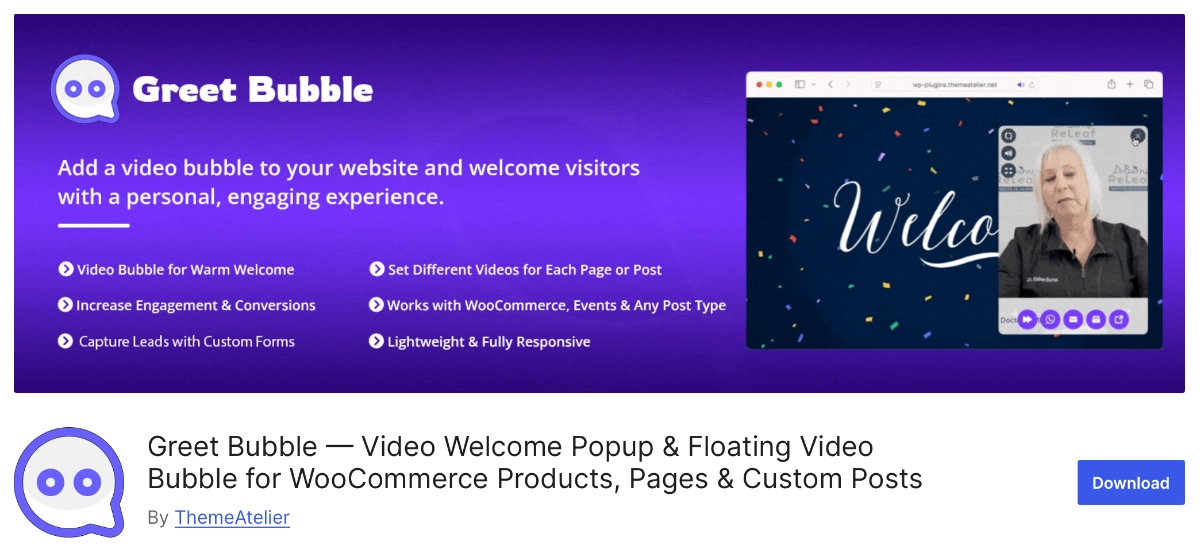
Conventional popups are text- and form-focused. Some businesses need a founder, coach, or product expert to speak directly to the visitor instead. Greet Bubble adds a floating video bubble that occupies less space than a full modal and remains available without immediately blocking the page — it’s a guided introduction, not a competing opt-in form.
Best-fit businesses: consultants, coaches, agencies, real estate businesses, SaaS products, and personal brands with a genuine introduction to make. Verified free features: multiple videos and CTA buttons, contact-form connection, and WooCommerce product-specific video. Pro adds: device-specific visibility, page-specific display, and WhatsApp or Web3Forms button actions.
Limitations: it isn’t primarily an opt-in form builder, and advanced email opt-ins, exit-intent targeting, multi-step forms, A/B testing, or marketing automation aren’t confirmed features — choose a dedicated opt-in tool for those. Keep the video brief, add captions, avoid disruptive autoplay sound, and never let the bubble cover an important control. Businesses that want a more personal welcome can start with Greet Bubble free and review the Pro controls for page-specific videos and deeper targeting.
Popup Maker: Best Free General-Purpose Popup Builder
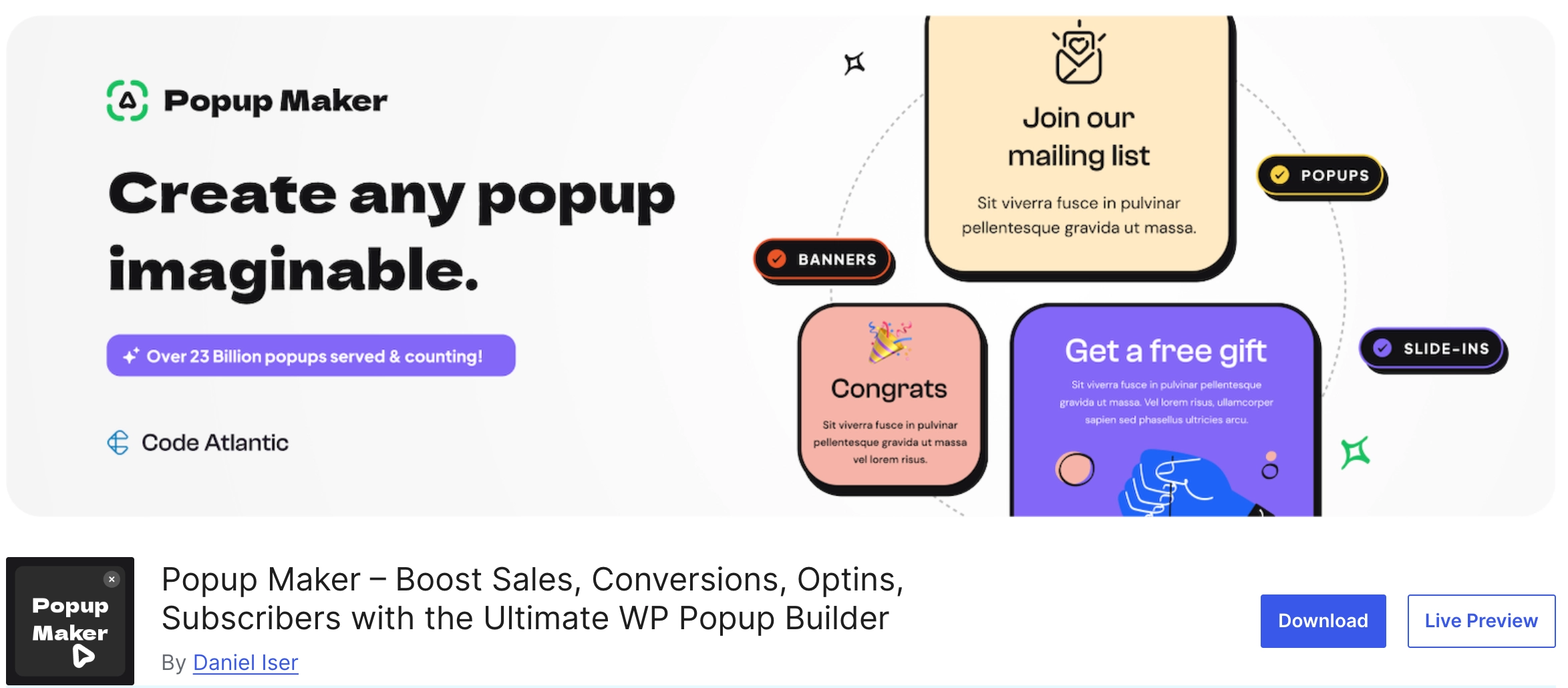
Popup Maker is a WordPress-native builder with 700,000+ active installs and no external account required. The genuinely free tier covers opt-in and announcement popups, a visual drag-and-drop editor, page and category targeting, cookie-based frequency control, and integrations with 15+ form plugins.
Advantages: a real free version that doesn’t route data through a third-party account, useful for straightforward announcements and email capture. Limitations: exit-intent, scroll-depth triggers, geolocation targeting, and analytics all require the paid version. Choose another option if you need exit-intent or advanced targeting without paying, or a personal video welcome instead of a text popup.
ConvertForce: Best for Lightweight, Block Editor Popups
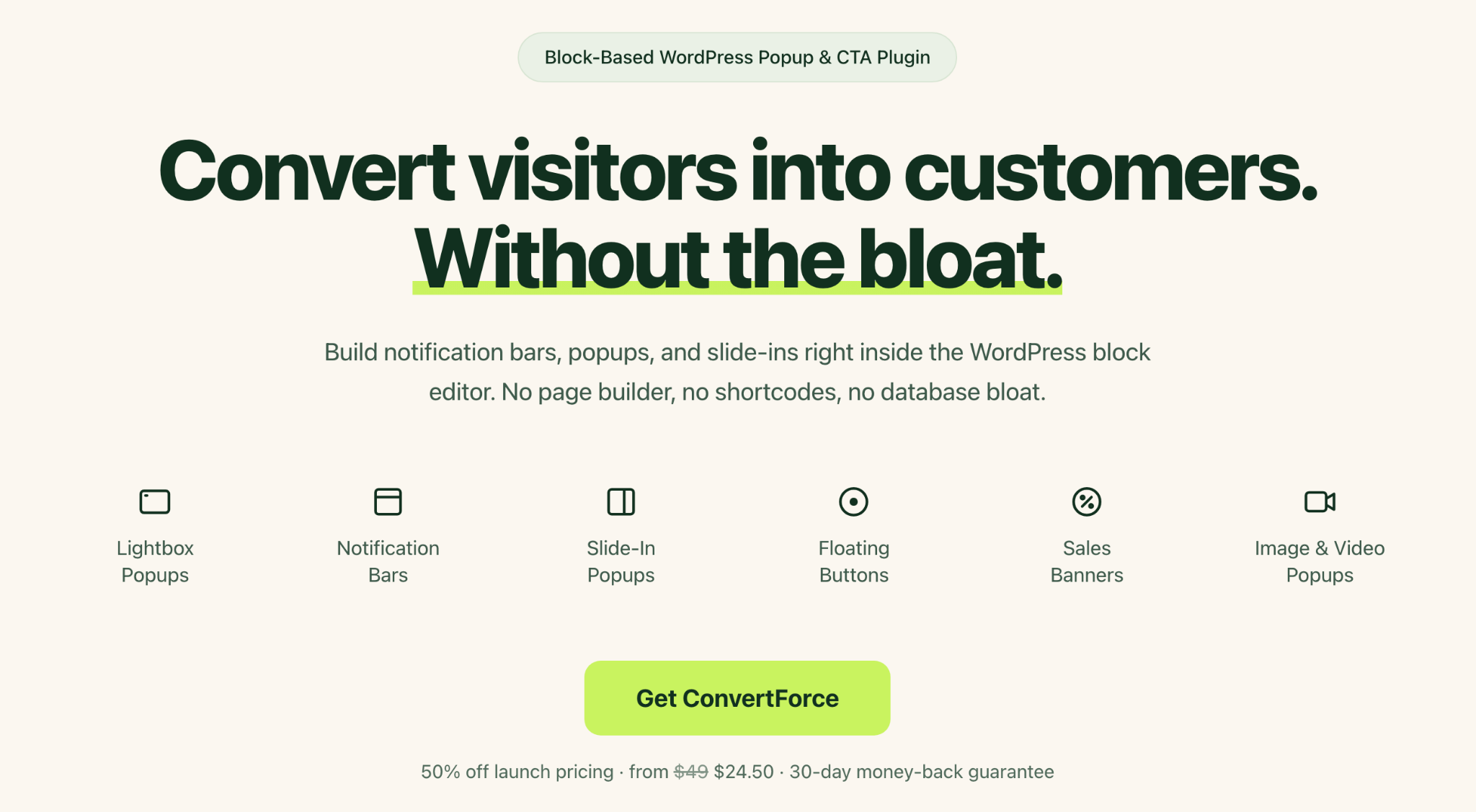
ConvertForce is a Gutenberg-native WordPress plugin by DotCamp that builds popups directly in the block editor, with no separate builder to learn. It offers three campaign types (Notification Bar, Lightbox Popup, and Slide-In Popup), supports any Gutenberg block or shortcode inside a campaign, and ships with pre-built patterns, including new Halloween and Black Friday designs. The free version includes a Time Delay trigger and page-level Display Conditions. ConvertForce Pro adds Exit Intent, Scroll Depth, and User Inactivity triggers, Advanced Targeting with 37 conditions across 8 categories (URL, device, browser, referrer, cookie, user role, and more), Display Frequency controls, and a new Countdown block for time-limited offers. At around 11 KB, it ranks in the top 1% for memory usage and the top 5% for page speed on WP Hive, and runs fully self-hosted with no third-party scripts.
Advantages: the lightest option here, with accessible popups (focus trapping, Escape-to-close, reduced-motion support) and a workflow that feels native to anyone already using the block editor. Limitations: it requires the block editor and doesn’t work with the Classic Editor, and advanced triggers and targeting are Pro-only (from $49/year, or $149 lifetime). Choose another option if you need built-in email marketing integrations, A/B testing, or a page-builder workflow such as Elementor.
OptinMonster: Best for Advanced Lead Generation
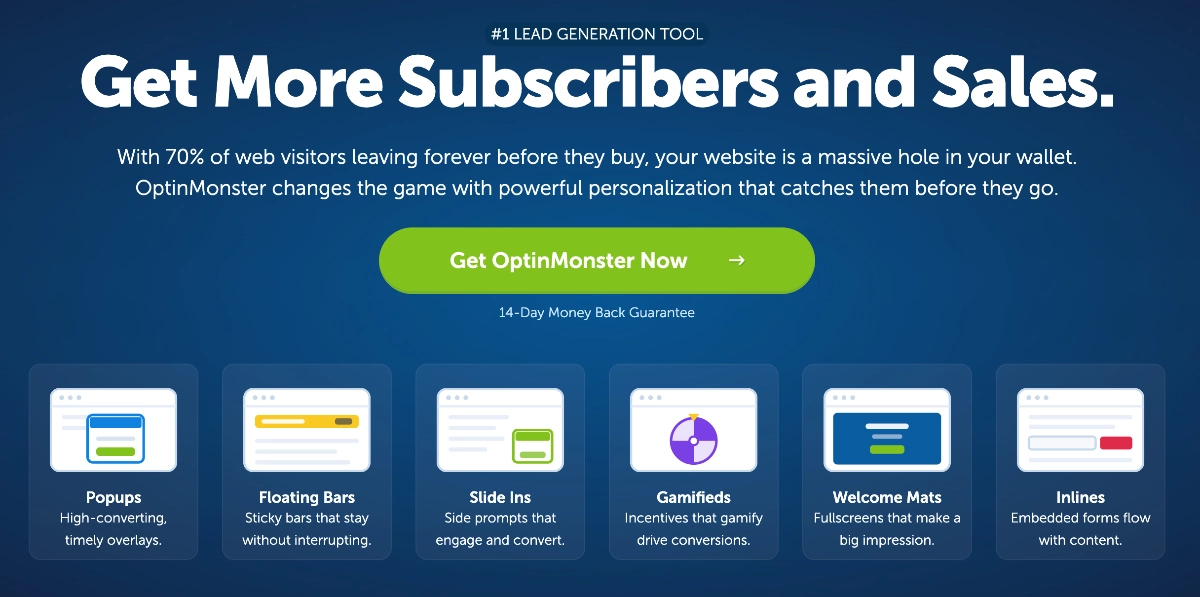
OptinMonster is a SaaS platform rather than a local plugin, offering six campaign formats, proprietary exit-intent detection, and targeting by geolocation, device, referral source, and cart activity. It includes built-in A/B testing, conversion analytics, and revenue attribution, plus 50+ integrations with tools like Mailchimp and HubSpot.
Advantages: the most sophisticated targeting and testing here, useful for teams actively optimizing campaigns. Limitations: it’s a subscription service, not a one-time plugin purchase, and the free WordPress display is capped at 500 campaign views. Choose another option if you want a simple, self-hosted announcement without an ongoing subscription.
Elementor Pro Popup Builder: Best for Elementor Users
If your site is already built in Elementor, its Pro popup builder uses the same editor and widgets you’re already working with, supporting page-load, scroll, click, inactivity, and exit-intent triggers alongside page- and post-level display conditions.
Advantages: no new interface to learn, and popups match your site’s existing design system automatically. Limitations: it requires Elementor Pro specifically, not the free Elementor plugin, so it’s not a fit if you’re not already using it. Choose another option if you don’t build with Elementor or want a standalone tool independent of your page builder.
Poptin: Best Budget Option With Free Exit-Intent
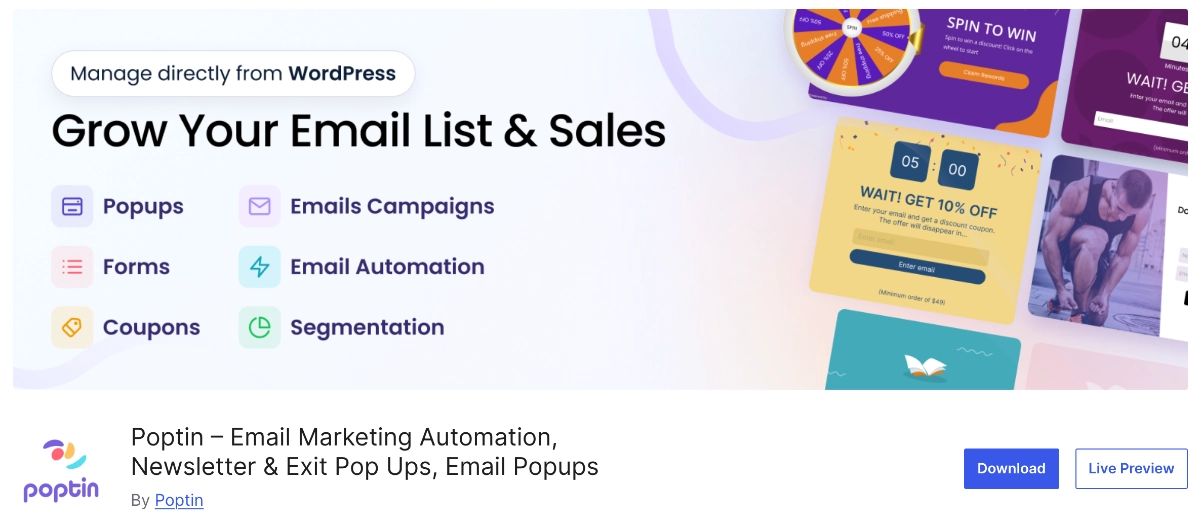
Poptin is a SaaS-connected plugin requiring a free account, but unlike Popup Maker, its free plan includes exit-intent along with lightbox, slide-in, and bar formats, plus 70+ integrations — capped at 1,000 monthly visitors.
Advantages: exit-intent and a wide integration list without paying upfront, good for testing a campaign concept cheaply. Limitations: the visitor cap makes it unsuitable for higher-traffic sites without upgrading, and it requires an external account like OptinMonster does. Choose another option if you’d rather avoid a SaaS dependency entirely.
Traditional Popup vs. Video Welcome Bubble
Traditional popups excel at email capture, coupons, exit offers, multi-field forms, and testing — but they can interrupt reading, feel impersonal, and get ignored when overused. A video welcome bubble adds a human presentation, product explanation, and guided onboarding in a compact format, but it needs a genuinely good video, isn’t built for email capture, and requires regular updates so it doesn’t go stale. Which one wins depends entirely on the visitor action you want.
Can You Use a Video Bubble and Popup Together?
Yes — Greet Bubble can introduce the business while a conventional popup handles email capture or an offer, since they serve different purposes. The risk is clutter: too many floating elements, competing calls to action, and conflicting frequency rules. Establish one primary CTA, avoid triggering both immediately, use page-level targeting, keep them out of the same corner, and test the combination on mobile before assuming they work together on your specific theme.
Recommended Plugin by Business Type
- Blogger or publisher: Popup Maker for a simple newsletter opt-in. Caution: don’t trigger it immediately on arrival.
- Consultant or coach: Greet Bubble for a personal introduction. Caution: keep the video current.
- WooCommerce store: OptinMonster or Popup Maker Pro for cart-based targeting. Caution: never cover checkout controls.
- SaaS company: OptinMonster for testing and analytics. Caution: A/B test before assuming a variant wins.
- Real estate or local service business: Greet Bubble for an agent or owner introduction. Caution: keep videos current per listing or season.
- Agency or nonprofit: Elementor Pro for existing Elementor clients, or Popup Maker’s free tier for a donation or signup banner. Caution: standardize triggers and skip paid targeting you don’t need.
How to Avoid Annoying Visitors
Don’t trigger every campaign immediately, limit repeat displays, use a clear close button, keep one main CTA, use short copy, and match the message to the page. Avoid unnecessary form fields, autoplay sound, and covering checkout or navigation controls. Respect a visitor’s prior dismissal, stop expired campaigns, and never run multiple overlapping widgets competing for the same attention.
How to Test a Popup Plugin
Record a performance baseline, then test on a staging copy with one plugin installed at a time, configured with the actual campaign you intend to run. Test desktop and mobile, keyboard navigation, close behavior, and repeat-display rules. Inspect new scripts and external requests, test forms and email integrations, and check cart or checkout pages if relevant. Compare performance before and after, then test removal for leftover shortcodes or content — always test the real configuration, not an empty install.
Free vs. Paid Popup Plugins
Free versions are usually enough for a basic announcement, one welcome message, simple email capture, or testing a campaign concept on a low-traffic site. Paid plans earn their cost with advanced targeting, multiple campaigns, A/B testing, conversion analytics, WooCommerce conditions, or marketing integrations that save real setup time. Paid isn’t automatically faster or more effective — it’s worth it when a specific limitation is actually blocking your campaign.
Final Recommendation
There’s no single best WordPress popup plugin for every site — choose a general-purpose builder like Popup Maker for varied campaign formats, an advanced platform like OptinMonster for targeting and testing, Elementor Pro if you’re already building with it, and Greet Bubble when a personal video introduction matters more than a conventional opt-in box. The right tool supports the visitor action you actually want without creating unnecessary interruption.
Businesses that want to welcome visitors with a short, personal video can install Greet Bubble free from WordPress.org and compare the available Pro features on ThemeAtelier.
Frequently Asked Questions
What is the best popup plugin for WordPress?
There’s no single best plugin — it depends on the goal. Popup Maker suits free, general-purpose campaigns, OptinMonster suits advanced targeting and testing, Elementor Pro suits sites built with Elementor, and Greet Bubble suits a personal video welcome rather than a text-based opt-in.
What is the difference between a popup and a welcome bubble?
A conventional popup is typically a text- or form-based overlay focused on email capture, offers, or announcements. A welcome bubble, like Greet Bubble, is a compact floating video that introduces a person or product without immediately blocking the page — it’s a guided introduction rather than an opt-in form.
Do WordPress popups hurt SEO?
Not automatically. Google’s guidance targets intrusive interstitials that cover main content shortly after a visitor arrives from search, especially on mobile. A well-timed, easily dismissed popup that doesn’t block the main content generally avoids these concerns, but a full-screen takeover on mobile search traffic can create real problems.
Are exit-intent popups effective on mobile?
Exit intent is less reliable on mobile, since it typically relies on cursor movement toward the browser edge — a gesture that doesn’t exist on touch screens. Some tools substitute scroll or inactivity triggers for mobile visitors instead; check how a specific plugin handles this before assuming exit intent works the same way everywhere.
What is the best free WordPress popup plugin?
Popup Maker offers a genuinely usable free tier with no external account required, covering opt-in popups, announcements, and basic targeting. Poptin’s free plan adds exit-intent but caps monthly visitors and requires a SaaS account, so the right choice depends on whether you need exit-intent for free.
Do popup plugins slow down WordPress?
They can, depending on scripts, fonts, and video assets loaded, and whether those load conditionally or site-wide. SaaS-connected tools add an external request to load the campaign. Test Core Web Vitals before and after installing any popup plugin rather than assuming it’s lightweight.
How often should a welcome popup appear?
Less often than the default setting usually allows. Use frequency or cookie controls to limit repeat displays after a visitor dismisses it, and avoid showing the same message on every single page view — that’s one of the fastest ways to make a popup feel disruptive rather than helpful.
Can I show different popups on different pages?
Yes, most popup and welcome-message plugins support page, post, or category-level targeting, letting you show a product-specific message on one page and a general announcement elsewhere. Advanced targeting like geolocation or device type typically requires a paid plan — confirm this on the specific plugin’s pricing page.