
Most domain sellers default to Sedo, Afternic, or GoDaddy without ever considering the alternative: selling directly from a self-hosted WordPress site. Using WordPress plugins to sell domain names gives you a branded sales page, direct buyer leads, and more control over how a domain is presented, without waiting on a marketplace’s approval queue or paying its listing fees.
It also means taking on responsibilities a marketplace normally handles, like collecting offers, verifying buyers, and coordinating a secure transfer yourself. This guide compares the small number of tools built for this exact job, alongside general WordPress plugins that can be adapted for domain sales, so you can pick the right approach for one domain or an entire portfolio.
What Is the Best WordPress plugins to sell domain names?
Domain For Sale is the strongest purpose-built option for selling domain names on WordPress, with dedicated sales pages, offer forms, and, in its Pro version, Escrow.com checkout built specifically around domain transactions. General tools also work well for specific situations: WooCommerce suits simple fixed-price listings, a directory plugin suits large searchable portfolios, an auction plugin suits bidding sales, and a multi-vendor marketplace plugin suits sites accepting listings from other sellers.
Editorial disclosure: Domain For Sale is developed by the team behind this website. This guide evaluates it alongside credible alternative approaches using the same criteria, so you can judge whether a purpose-built plugin or a general WordPress tool fits your situation better.
Last reviewed: July 2026. Plugin features, install counts, and pricing change over time — always confirm current details on the developer’s official site before installing.
Table of Contents
Key Takeaways
- Best overall purpose-built option: Domain For Sale appears to be the only actively maintained WordPress.org plugin built specifically for selling domains, with dedicated landing pages and an offer form.
- Best for a single domain: Domain For Sale’s free version, built around one focused sales page.
- Best for a portfolio storefront: Domain For Sale Pro (unlimited listings, bulk import) or Directorist for very large, searchable catalogs.
- Best WooCommerce-based approach: WooCommerce’s native “virtual product” type handles fixed-price domain listings without a domain-specific plugin.
- Best for auctions or bids: Ultimate Auction for WooCommerce adds timed bidding, reserve pricing, and Buy Now on top of WooCommerce.
- Best for a multi-vendor marketplace: Dokan lets multiple sellers manage their own domain listings with built-in commission handling.
- The biggest trade-off: selling directly means taking on lead handling, buyer verification, and transfer coordination yourself instead of a marketplace managing them.
Can You Sell Domain Names Through WordPress?
WordPress plugins to sell domain names can handle most of the presentation and lead-generation side of a sale: a landing page, a portfolio of listings, an offer form, checkout initiation, and buyer communication. Some also connect to payment processors or Escrow.com for the transaction itself.
What WordPress doesn’t do automatically is complete the sale. No plugin transfers domain ownership, verifies that you actually own the domain listed, or protects both sides of a high-value transaction. It isn’t a registrar or an escrow provider, and it can’t guarantee a payment or transfer completes. Those steps still happen through your registrar and, ideally, a dedicated escrow service.
How We Chose the Options
We researched the current WordPress plugin ecosystem directly through WordPress.org listings, official plugin sites, and published pricing pages rather than relying on third-party roundups. Because dedicated domain-selling plugins are genuinely rare, this article includes both purpose-built tools and general WordPress plugins that can be adapted for domain sales, clearly labeled as one or the other.
For each option, we checked whether it’s actively maintained, what its free version includes, what requires a paid upgrade, and what real-world setup it demands, looking at fixed-price support, offer handling, auction mechanics, multi-vendor capability, and domain-mapping. Where a feature or price couldn’t be confirmed officially, we say so rather than guessing.
Domain-Selling Plugin Comparison at a Glance
| Plugin/approach | Type | Best for | Free option | Fixed-price | Offers/inquiry | Auction | Multi-vendor | Domain mapping | Extra setup | Verdict |
|---|---|---|---|---|---|---|---|---|---|---|
| Domain For Sale | Purpose-built plugin | Single domain or small portfolio | Yes | Yes | Yes | No | No | Not confirmed | Minimal | Best overall |
| WooCommerce | General e-commerce, adapted | Simple fixed-price sales | Yes | Yes | No (native) | No (native) | No (native) | No | Custom setup | Best WooCommerce-based approach |
| Directorist | Classified/directory, adapted | Large searchable portfolios | Yes | Limited | Yes | No | Limited | No | Custom setup | Best classified-listing approach |
| Dokan | Multi-vendor marketplace | Third-party seller submissions | Yes | Yes | No (native) | Add-on required | Yes | No | Custom setup + WooCommerce | Best multi-vendor approach |
| Ultimate Auction for WooCommerce | Auction extension | Bidding-based sales | Yes | Yes (Buy Now) | No | Yes | No (native) | No | Custom setup + WooCommerce | Best for auctions |
| Custom development | Developer-built | Highly specific workflows | No | Yes | Yes | Custom setup | Custom setup | Custom setup | Developer required | Best for developers |
Domain For Sale
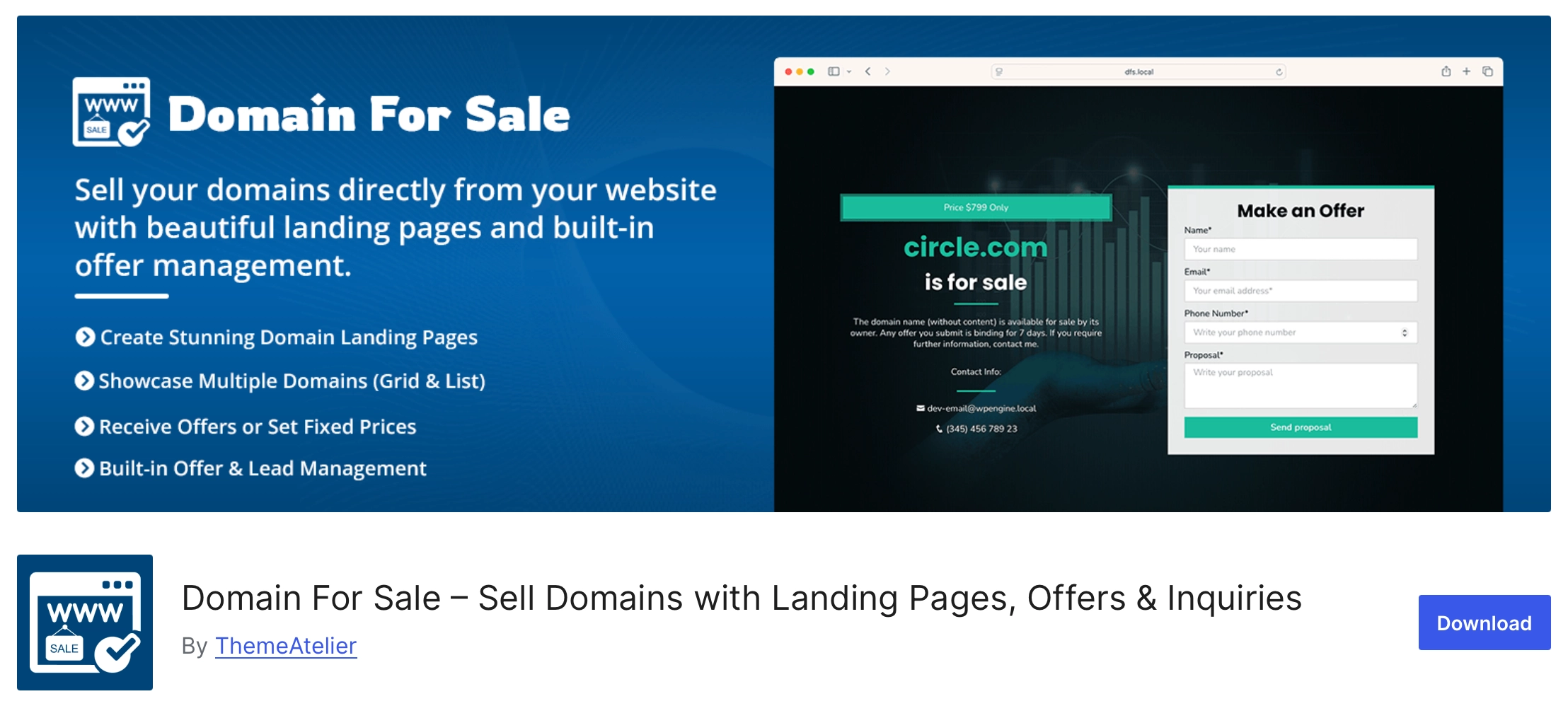
Domain For Sale is a purpose-built WordPress plugin for listing and selling domain names, and appears to be the only actively maintained, WordPress.org-listed plugin designed specifically for this job.
Type: Purpose-built domain-selling plugin.
Best for: Domain owners selling one domain, or a small portfolio, who want a dedicated sales page rather than a general storefront.
Key features: Free includes one sales-page layout, a two-field contact and offer form, four color schemes, and reCAPTCHA protection. Pro adds three more layout variants, unlimited listings, CSV/XML/JSON bulk import, an analytics dashboard, custom CSS/JS, and Escrow.com purchase integration, a live, confirmed feature rather than a future plan.
Advantages: Because it’s built only for this purpose, setup is faster than repurposing WooCommerce or a directory plugin, and the offer form is the core workflow rather than an add-on.
Limitations: The free version is built around a single listing, not a full portfolio. Domain-mapping isn’t confirmed on the current pricing page, so check the docs directly if that’s a requirement, and there’s no distinct public roadmap page at the time of writing.
Free vs. paid: The free WordPress.org version covers one domain landing page with an offer form. Pro, per the pricing page, runs $34.30–$89.50 per year or $74.50–$149.70 as a lifetime license, with a 14-day money-back guarantee.
Final verdict: The most direct route to a working domain-for-sale page for single listings or small-to-mid portfolios, with the caveat that it’s a small, young plugin rather than a long-established one.
WooCommerce (Virtual Products)

WooCommerce isn’t built for domain sales, but its native “virtual product” type, which disables shipping fields and the shipping calculator, is enough to list a domain at a fixed price on any WooCommerce store.
Type: General e-commerce plugin, adapted.
Best for: Sellers who already run WooCommerce, or want the most widely supported checkout for fixed-price domain sales.
Key features: Custom pricing per product, a standard cart and checkout flow, and WooCommerce’s large ecosystem of payment gateways and extensions.
Advantages: WooCommerce is free, well documented, and already installed on millions of sites, so there’s no new platform to learn if you already use it.
Limitations: No domain-specific fields, no built-in offer workflow (buyer-defined pricing needs a separate paid “Custom Pricing” extension), and no domain-mapping or portfolio-search tools out of the box. You’re building a domain store on a general commerce plugin, not a tool designed for it.
Setup required: Configuring products as virtual, adding domain details in custom fields, and possibly extra plugins for offer collection.
Free vs. paid: WooCommerce itself is free; costs come from extensions and payment gateway fees.
Final verdict: A solid choice for fixed-price sales if you’re already committed to WooCommerce, but not a shortcut to a domain-specific workflow.
Directorist (Classified/Directory Listings)

Directorist turns WordPress into a searchable listing directory, which can work for a large domain portfolio if you’re willing to configure it as one.
Type: Classified/directory listing plugin, adapted.
Best for: Sellers or brokers with many domains who want visitors to search and filter a catalog rather than land on individual sales pages.
Key features: Front-end listing submission, unlimited custom fields (domain length, TLD, age, traffic), AJAX search and filtering, and paid or featured listing options.
Advantages: Its search and filtering are more developed than a dedicated plugin’s portfolio view, which matters once you’re listing dozens of domains. Front-end submission also makes it workable if other sellers contribute listings. GeoDirectory offers a comparable free feature set to compare.
Limitations: Nothing about it understands domains specifically. You’ll define custom fields yourself, there’s no offer-negotiation or escrow integration, and turning submissions into paid listings takes extra configuration or Pro extensions.
Setup required: Custom field setup for domain data, and likely a Pro extension for payment collection.
Free vs. paid: The free Directorist version covers submission, custom fields, and search. Pro extensions (30+, covering payments, booking, and analytics) are priced individually; we didn’t verify exact figures, so check Directorist’s site directly.
Final verdict: Worth considering for large, searchable portfolios or semi-open submissions, less suited to a quick single-domain sale.
Dokan (Multi-Vendor Marketplace)

Dokan turns a WooCommerce store into a multi-vendor marketplace, which matters specifically when you want other people’s domains listed on your site, not just your own.
Type: Multi-vendor marketplace plugin (requires WooCommerce).
Best for: Anyone building an actual domain marketplace where multiple sellers submit and manage their own listings.
Key features: Individual vendor dashboards, commission-based earnings on each sale, and support for multiple payment gateways so vendors get paid directly.
Advantages: It solves a problem none of the domain-specific or classified options handle: letting independent sellers list, price, and manage their own domains while you take a cut, functioning as an actual marketplace rather than a single seller’s storefront.
Limitations: A bigger technical commitment than any option here, since it requires WooCommerce plus its own configuration. It has no domain-specific fields or offer workflow by default, and auction support needs an additional extension.
Setup required: WooCommerce installation, Dokan configuration, vendor onboarding, and likely custom fields for domain-specific data.
Free vs. paid: Dokan Lite is free with core vendor and commission features. Dokan Pro adds vendor analytics, advanced shipping, and dozens of modules; we didn’t independently verify current pricing, so check dokan.co directly.
Final verdict: The right tool only if your goal is a true multi-vendor domain marketplace, not a single-owner portfolio.
Ultimate Auction for WooCommerce
If you want bidding rather than fixed pricing, Ultimate Auction for WooCommerce adds real auction mechanics on top of a standard WooCommerce store.
Type: Auction extension for WooCommerce.
Best for: Sellers who want competitive bidding to determine a domain’s final price, similar to major domain auction sites.
Key features: Free includes timed auctions with a countdown, reserve pricing, Buy Now pricing, configurable bid increments, and outbid email notifications.
Advantages: It’s a genuine auction system, not a workaround, so bidders get the countdown urgency and notification flow fixed-price listings can’t replicate.
Limitations: It manages bidding, not the domain transaction. It won’t verify domain ownership, handle escrow, or manage the transfer once an auction ends. Separate paid add-ons exist (an Auction Pro upsell, an auction theme, and car-auction software) but are individually priced, not one unified tier.
Setup required: A working WooCommerce store first, then the extension configured per listing.
Free vs. paid: The core auction functionality reviewed here is free; paid upsells extend it further but weren’t independently priced in this research.
Final verdict: The clearest option if bidding matters more than a fixed asking price, provided you handle transfer and escrow separately.
Custom Development Approach
For sellers with requirements no packaged plugin meets, a custom build using WordPress’s own tools remains an option, though it’s the most demanding one here.
Type: Developer-built approach, not a single plugin.
Best for: Agencies or portfolio owners with a workflow specific enough that no existing plugin fits, and the budget to build it.
Key features: Typically a custom post type for domain listings, Advanced Custom Fields for structured data (price, TLD, traffic), a form plugin for inquiries, and WooCommerce or a payment processor for checkout.
Advantages: Complete control over fields, workflow, and branding, without compromising around a plugin’s assumptions.
Limitations: Everything, including offer handling, auctions, or multi-vendor support, has to be built and maintained by a developer, with no vendor support line to call when something breaks.
Setup required: Developer time upfront and ongoing maintenance, the trade-off for full flexibility.
Free vs. paid: No license cost, but development time is a real and often larger expense than any plugin’s Pro plan.
Final verdict: Only worth it when a genuinely unique workflow justifies the cost; most sellers are better served by one of the packaged options above.
Best Options by Use Case
- Best overall: Domain For Sale — purpose-built sales pages and offer forms without adapting general commerce tools.
- Best for a single domain: Domain For Sale’s free version, built around one focused sales page.
- Best for a multi-domain portfolio: Domain For Sale Pro (unlimited listings, bulk import) or Directorist for very large searchable catalogs.
- Best for fixed-price checkout: WooCommerce, for its mature and widely supported checkout flow.
- Best for collecting offers: Domain For Sale, whose core workflow is built around an offer/inquiry form.
- Best for domain auctions: Ultimate Auction for WooCommerce, with native timed bidding, reserve pricing, and Buy Now.
- Best for a multi-vendor domain marketplace: Dokan, with vendor dashboards and commission handling built in.
- Best for developers needing a custom workflow: A custom build using Advanced Custom Fields and WooCommerce.
- Best low-cost starting approach: Domain For Sale’s free version, or WooCommerce if you already run it.
Dedicated Plugin vs. General Marketplace Plugin
A purpose-built domain-selling plugin and a general marketplace plugin solve different problems, even when both can technically list a domain for sale.
A dedicated plugin like Domain For Sale is faster to set up because it assumes what you’re selling: sales pages, an offer form, and portfolio import are ready out of the box, without commerce features you won’t use.
A general marketplace, classified, or WooCommerce-based plugin trades that focus for breadth: auctions, vendor submissions, wider payment integrations, and more extensibility if your needs grow beyond domain sales alone.
Neither is universally better. A single-owner portfolio usually doesn’t need vendor dashboards or auction mechanics, and a true multi-vendor marketplace usually needs more than a domain-specific plugin provides.
Self-Hosted Domain Store vs. Domain Marketplace
Selling through your own WordPress site and listing on a marketplace like Sedo or Afternic solve different parts of the same problem, and many sellers end up using both.
A self-hosted store gives full branding control, direct ownership of buyer leads, and no marketplace commission. But you take on distribution yourself. A marketplace already has buyer traffic looking specifically for domains; your own site doesn’t, unless you already drive traffic to it.
Marketplaces also bring established trust, built-in escrow or payment handling, and dispute processes buyers already recognize. Selling directly means handling negotiation and transfer coordination yourself, or by connecting a service like Escrow.com.
A practical middle ground many sellers use: a self-hosted landing page for branding and direct leads, alongside selected marketplace listings for buyer discovery. Selling directly isn’t automatically cheaper or better; it shifts where the effort and risk sit.
How to Choose the Right Plugin
Once you understand the categories above, narrow your decision using these factors:
- Number of domains: One domain favors Domain For Sale’s free version; a large portfolio favors Pro import tools or Directorist.
- Sellers involved: A single owner needs a portfolio tool; multiple sellers need a marketplace plugin like Dokan.
- Sale format: Fixed-price favors WooCommerce or Domain For Sale; bidding favors an auction extension.
- Domain mapping: If each domain needs to route to its own page automatically, confirm this in current documentation before assuming support.
- Direct checkout: WooCommerce and Dokan handle payment natively; a dedicated domain plugin may rely on offers plus manual payment or Escrow.com.
- Escrow and lease-to-own: Escrow.com integration is a confirmed Domain For Sale Pro feature; lease-to-own isn’t confirmed as available anywhere reviewed here.
- Technical skill and budget: Packaged plugins suit non-technical owners; a custom workflow needs developer time and budget.
- Ongoing maintenance: Favor actively maintained plugins with recent updates over stale or abandoned ones.
- Transaction security: No plugin replaces your registrar’s transfer process or a secure payment method; plan for that separately.
Transaction and Security Considerations
Choosing a plugin is only one part of selling a domain safely. A few practices apply no matter which tool you use:
- Confirm you actually control the domain (registrar account access, WHOIS/registration details) before listing it.
- Put sale terms in writing, including price, what’s included, and the transfer timeline.
- Use a secure payment method, and consider escrow for higher-value domains.
- Avoid releasing the domain before payment has fully cleared and settled.
- Understand your registrar’s transfer lock and authorization code process before a sale closes.
- Keep records of buyer communication and payment confirmation.
- Test your inquiry form and any payment flow yourself before publishing a listing.
This isn’t legal or financial advice. Verify payment, tax, escrow, and registrar requirements for your own situation and jurisdiction before completing a sale.
Final Recommendation
Domain For Sale is the strongest choice if you want a WordPress plugin built specifically for selling domain names, especially for a single listing or a small-to-mid portfolio. WooCommerce works well if you only need simple fixed-price checkout and already run a WooCommerce store. Directorist or a similar directory plugin suits large, searchable catalogs. Ultimate Auction for WooCommerce fits bidding-based sales, Dokan fits a true multi-vendor marketplace, and custom development suits highly specific workflows that no packaged plugin covers.
Whichever option you choose, a plugin only handles the sales-page and lead side of the transaction. You can install Domain For Sale free from WordPress.org, explore the full feature set on wpdomainforsale.com, and review confirmed Pro features, including Escrow.com integration, on the pricing page.
FAQ
What is the best WordPress plugin for selling domain names?
Domain For Sale is the best purpose-built option, since it’s the only actively maintained WordPress.org plugin designed specifically for domain sales rather than adapted from general commerce tools. The right choice still depends on whether you’re selling one domain, a large portfolio, running auctions, or building a multi-vendor marketplace.
Can I sell a domain directly from my own website?
Yes. A WordPress plugin can publish a sales page, collect offers, and initiate checkout. It can’t transfer domain ownership or replace your registrar and an escrow provider, so you’ll still coordinate the actual transfer and payment security yourself.
Can WooCommerce be used to sell domains?
Yes. Marking a product “virtual” removes shipping fields, letting you list a domain at a fixed price like any digital product. WooCommerce has no domain-specific fields or offer workflow built in, so you’d add those manually or through extra plugins.
Do I need a marketplace to sell a domain name?
No. A marketplace provides existing buyer traffic and built-in trust, but it isn’t required. Selling from your own site works for domains you already have a buyer for, or where you’re willing to handle your own marketing and lead generation.
Can I create a multi-vendor domain marketplace with WordPress?
Yes, using a marketplace plugin like Dokan on top of WooCommerce, which gives each seller a vendor dashboard and handles commission splits. This is a heavier setup than a single-owner domain plugin, and makes sense only if multiple sellers will list their own domains.
Can buyers make offers through a WordPress domain-selling plugin?
Yes. Domain For Sale’s core workflow is built around an offer and inquiry form, its main advantage over general e-commerce plugins that default to fixed pricing without a negotiation step.
How does the buyer receive the domain after payment?
A plugin doesn’t transfer the domain itself. After payment, you complete the transfer through your registrar using its authorization code, ideally with escrow or another secure payment method protecting both sides until the transfer confirms.
Should I use escrow when selling a domain?
For higher-value domains, many sellers use an escrow service so payment is verified before the domain transfers. Domain For Sale’s Pro version includes Escrow.com integration; this isn’t legal or financial advice, so confirm requirements for your own transaction.