
Search “WhatsApp plugin” on WordPress.org and you’ll find dozens of near-identical listings promising a floating chat button in five minutes. The real differences show up later, when you need a second support agent, a WooCommerce store that routes orders through WhatsApp, or a way to hide the button on certain pages. Picking one of the best WhatsApp chat plugins for WordPress means matching the tool to what your site actually needs, not just how the button looks in a screenshot.
Some plugins do one thing well: a simple click-to-chat link. Others handle multiple agents, business hours, order notifications, and channels beyond WhatsApp. This guide compares seven established options so you can find the right fit, whether you run a one-person service business or a busy WooCommerce store.
Table of Contents
What Is the Best WhatsApp Chat Plugin for WordPress?
WhatsApp ChatHelp is the best overall WhatsApp chat plugin for WordPress in 2026, combining multi-agent support, granular WooCommerce placement, and customizable floating layouts in one tool. That said, the right choice depends on your needs: a free plugin like Click to Chat may suit a simple button, while Tidio fits teams that need a full omnichannel help desk rather than WhatsApp alone.
Editorial disclosure: WhatsApp ChatHelp is developed by the team behind this website. We built it because we felt existing WhatsApp plugins had gaps, and we believe it holds up well against the alternatives below. This guide also evaluates six other established plugins on their own merits, including situations where they may suit your site better than ChatHelp does.
Last reviewed: July 2026. Plugin features, install counts, ratings, and pricing change over time — always confirm current details on the developer’s official site before installing.
Key Takeaways
- Best overall: WhatsApp ChatHelp combines multi-agent support, WooCommerce targeting, and floating-widget customization better than the other plugins here.
- Best free, simple button: Click to Chat and Joinchat both offer capable free versions for a straightforward click-to-chat link.
- Best for multiple agents: WhatsApp ChatHelp and WP Chat App support multi-agent workflows without a full help-desk platform.
- Best for WooCommerce: WhatsApp ChatHelp’s buttons cover more placements (cart, checkout, product, shop) than most WhatsApp-only competitors.
- Best omnichannel alternative: Tidio suits teams wanting WhatsApp alongside live chat and a chatbot in one dashboard.
- Main factor to consider: Decide whether you need WhatsApp only or multiple channels, and how many agents will respond, before comparing price.
How We Chose the Plugins
We evaluated each plugin against practical criteria that matter for day-to-day use rather than marketing claims: how quickly a non-technical owner can get a working button live, how customizable the widget’s appearance and placement are, and whether it supports more than one agent.
For WooCommerce sites, we checked whether the plugin adds WhatsApp options to product, cart, or checkout pages, not just the homepage, plus practical extras like pre-filled messages, business-hours scheduling, page-level display rules, and mobile behavior.
Because free-to-paid value varies widely, we compared what each free version actually includes against what’s locked behind a paid plan. All feature and pricing details come from each plugin’s official WordPress.org listing, developer website, or pricing page, verified in July 2026, not third-party roundups, and we’ve flagged anywhere pricing couldn’t be independently verified.
WhatsApp Plugin Comparison at a Glance
| Plugin | Best for | Free version | Multiple agents | WooCommerce | Other channels | Pricing | Verdict |
|---|---|---|---|---|---|---|---|
| WhatsApp ChatHelp | All-around use / WooCommerce | Yes | Pro only | High (cart, checkout, product, shop) | WhatsApp only | From ~$27.30/yr (promo) or lifetime | Best overall |
| Joinchat | Simple, proven setup | Yes | Premium only | Product page only | Telegram, Messenger, phone (premium) | Premium license — check site | Best for beginners |
| Social Chat (QuadLayers) | Chatbot automation | Yes | Premium only | Payment gateway (premium) | WhatsApp-focused | $49–$149/yr or $99–$299 lifetime | Good value, clear pricing |
| Chaty | Multi-channel widget | Yes (generous) | Pro only | Dynamic product data (pro) | WhatsApp, Messenger, Telegram, Viber, SMS, call | Free + paid tiers — check site | Best free multi-channel option |
| Click to Chat (HoliThemes) | Free, simple button | Yes | Pro only | Single product page | WhatsApp only | Free + Pro — check site | Best plain free button |
| WP Chat App (Ninja Team) | WooCommerce order chats | Yes | Yes (confirm plan) | Order-on-WhatsApp | WhatsApp only | Check developer site | Solid agent-profile option |
| Tidio | Omnichannel support | Yes (WhatsApp needs paid plan) | Yes (paid plans) | Cart recovery | Live chat, chatbot, WhatsApp (paid) | Free; Starter from $24.17/mo | Best omnichannel platform |
WhatsApp ChatHelp
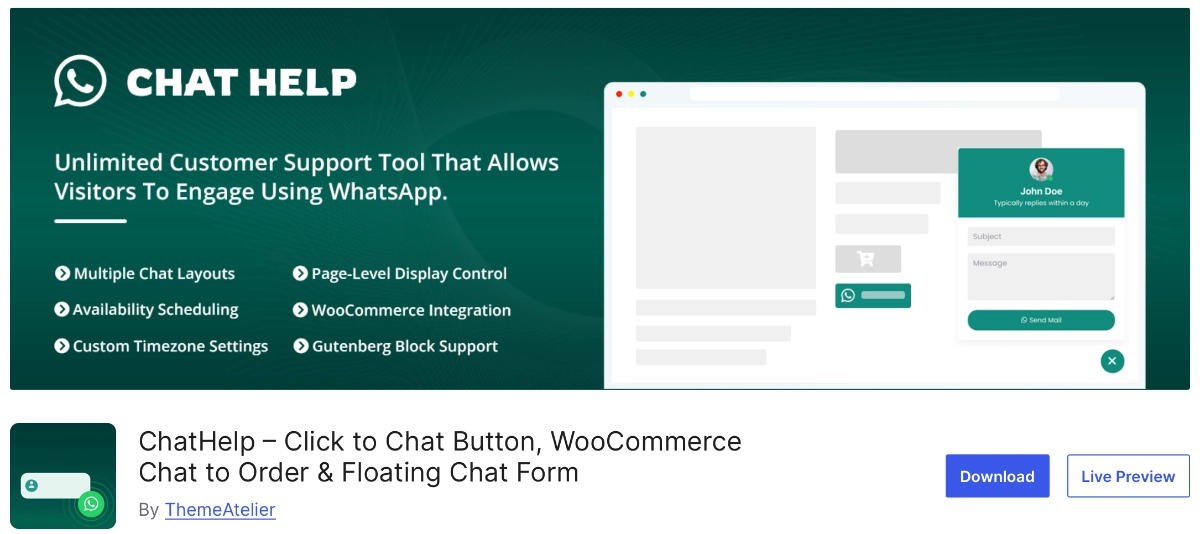
WhatsApp ChatHelp adds a floating WhatsApp button with layouts ranging from a single chat bubble to a full pre-chat form. It’s built around WordPress and WooCommerce, with buttons on shop, product, cart, and checkout pages rather than one generic widget. As the plugin behind this website, we know it well, but we’ve assessed it against the same criteria as every other plugin here.
Best for: Store owners and service businesses wanting WooCommerce-specific WhatsApp touchpoints alongside multi-agent support.
Key features: Several floating layouts (form, single agent, pre-chat, button), WooCommerce buttons across product-related pages, a leads dashboard, webhook support, and Gutenberg and Elementor compatibility.
Advantages: It combines the most granular WooCommerce placement options in this guide with multi-agent routing in one tool, so stores don’t need a separate plugin for order-related conversations.
Limitations: It’s newer than several competitors here, with a smaller install base and fewer public reviews so far.
Free vs. paid: The free WordPress.org version includes the floating bubble, basic layouts, WooCommerce buttons, and a leads dashboard. Pro adds multi-agent support, more layouts, unlimited form fields, lead export, extra WooCommerce placements, and webhooks. Check the pricing page for current rates, which may include promotional discounts.
Final verdict: The strongest all-around pick for WordPress sites wanting WooCommerce-aware WhatsApp conversations in one plugin.
Joinchat
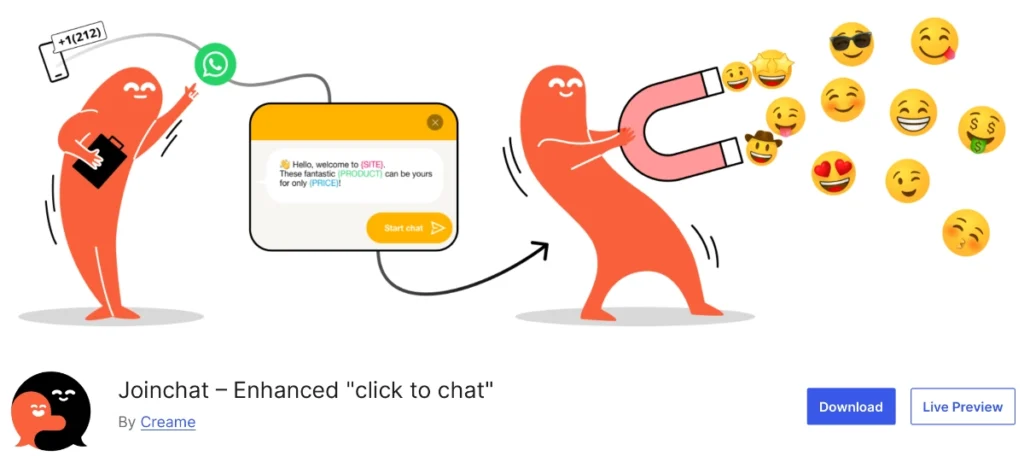
Joinchat, developed by Creame, is one of the most established WhatsApp plugins for WordPress, built around a floating button and a desktop QR code so visitors without WhatsApp Web can still open a chat. It focuses on a clean, polished click-to-chat experience rather than a broad feature set.
Best for: Site owners who want a well-tested, low-maintenance WhatsApp button with minimal setup.
Key features: Floating button with desktop QR code, dynamic start messages using variables like the page title, a WooCommerce product-page button, built-in GA4/GTM/Meta Pixel analytics, and multilingual support via WPML, Polylang, and TranslatePress.
Advantages: Its long track record and large install base make it dependable if you want a plugin refined over years, and its dynamic message variables are a genuinely useful touch few competitors match.
Limitations: The free version covers one WhatsApp number without multi-agent scheduling; other channels like Telegram, Messenger, and phone are premium-only.
Free vs. paid: Free includes the click-to-chat button, QR code, and analytics integration. Premium adds geo-targeting, extra channels, multi-agent scheduling, chat funnels, and an AI agent add-on. Confirm current Premium pricing on Joinchat’s listing, since we couldn’t independently verify an exact figure.
Final verdict: A dependable choice for a proven, simple WhatsApp button when you don’t need deep WooCommerce integration.
Social Chat (QuadLayers)
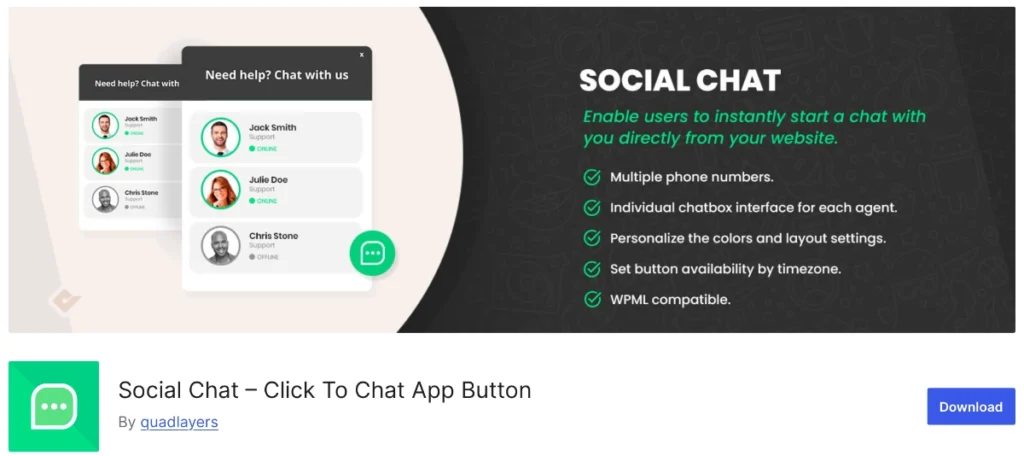
Social Chat, developed by QuadLayers, pairs a customizable WhatsApp button with an AI chatbot flow builder in its premium tiers. Note that an unrelated plugin also uses the “Social Chat” name on WordPress.org; the one covered here is QuadLayers’ “Click To Chat App Button.”
Best for: Businesses wanting basic automation or lead-qualifying flows layered on top of a standard WhatsApp button.
Key features: Customizable button and layout, dynamic message variables, a WooCommerce payment gateway option (premium), an AI chatbot flow builder, and business-hours display.
Advantages: The premium chatbot flow builder is a genuine differentiator among WhatsApp-focused plugins, and its pricing is more clearly published than most of the competitors here.
Limitations: Multi-agent routing and the WooCommerce payment option both require the premium plan; the free version is closer to a standard click-to-chat button.
Free vs. paid: Free covers a single WhatsApp number with a customizable button. Premium, verified on QuadLayers’ site, runs $49–$149 per year by site count, or $99–$299 as a lifetime license, with a 30-day money-back guarantee.
Final verdict: Worth considering for chatbot-style automation without moving to a full live-chat platform, with transparent pricing upfront.
Chaty
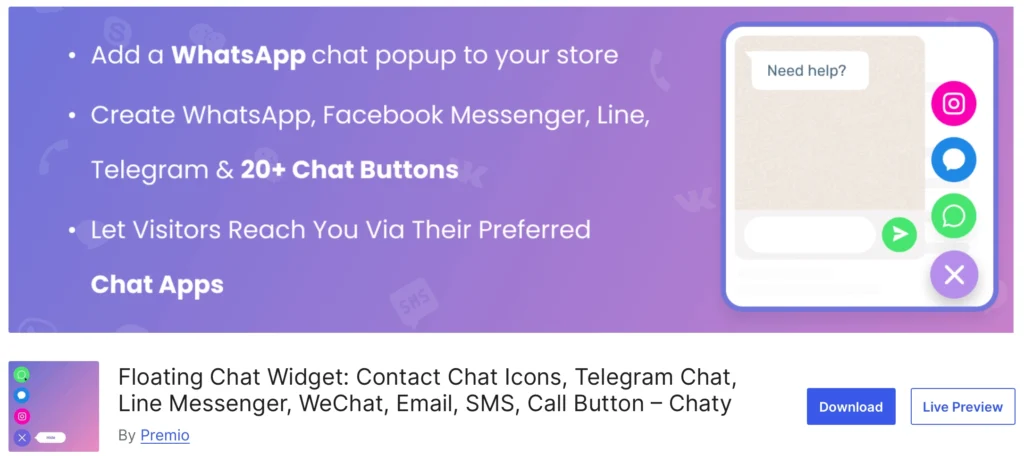
Chaty, developed by Premio, takes a different approach than most plugins here. Instead of focusing solely on WhatsApp, it adds a floating widget with unlimited chat channels, including WhatsApp, Messenger, Telegram, Viber, SMS, and phone calls.
Best for: Sites that want visitors to choose their preferred contact channel rather than being funneled into WhatsApp only.
Key features: Unlimited channel icons in the free version, WhatsApp short-link (wa.me) support, widget positioning and page-level targeting, and scheduled display rules.
Advantages: Few competitors offer this many channels for free. If your visitors are split between WhatsApp, Messenger, and email, Chaty avoids installing a separate plugin for each.
Limitations: Because it’s multichannel by design, its WhatsApp-specific experience is less deep than dedicated plugins; agent-based support and advanced WooCommerce data need the paid plan.
Free vs. paid: Free supports multiple channels and basic targeting. Paid plans add chat agents, merge-tag popups, dynamic WooCommerce product data, and advanced targeting. Sources on pricing conflicted during research, so confirm current plans on Chaty’s WordPress.org listing rather than third-party figures.
Final verdict: A strong pick for one widget covering multiple contact channels rather than a WhatsApp-only button.
Click to Chat (HoliThemes)\
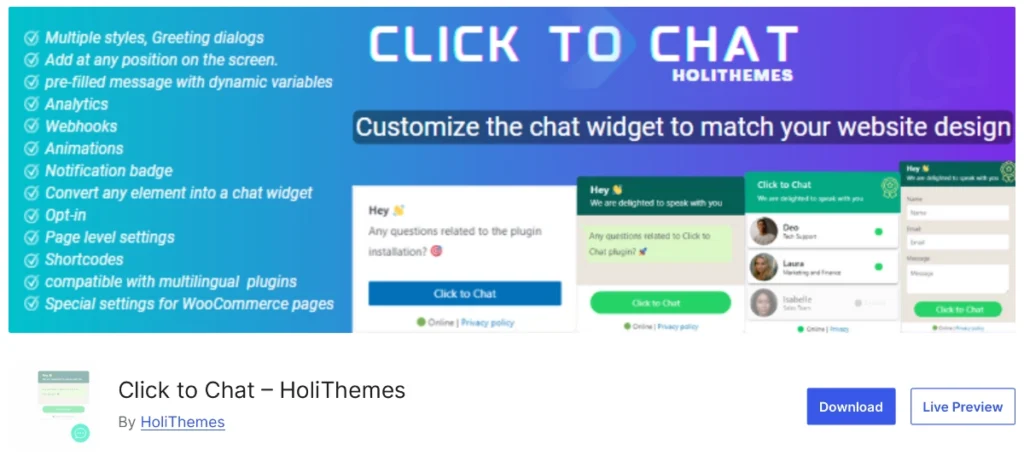
Click to Chat, developed by HoliThemes, is a long-standing, WhatsApp-focused plugin built around a simple floating button with several pre-built visual styles.
Best for: Anyone wanting a free, no-frills WhatsApp button without WooCommerce complexity or multi-agent routing.
Key features: Eight pre-built button styles plus custom image/GIF support, dynamic pre-filled messages, single-product WooCommerce integration, group chat/share options, and GA and Meta Pixel tracking.
Advantages: The free version is genuinely usable on its own rather than a stripped-down teaser, making it solid for smaller sites on a budget.
Limitations: WooCommerce support is limited to single-product pages rather than cart or checkout, and multi-agent scheduling, business hours, and geo-targeting need the Pro upgrade.
Free vs. paid: Free includes the button styles, pre-filled messages, and basic WooCommerce integration. Pro adds multi-agent scheduling, business hours, geo-targeting, and conditional display rules. We found no published Pro price on the listing, so check the plugin’s page or developer site directly.
Final verdict: A capable free option for a straightforward button, best suited to sites that don’t need deep WooCommerce or multi-agent features.
WP Chat App (Ninja Team)
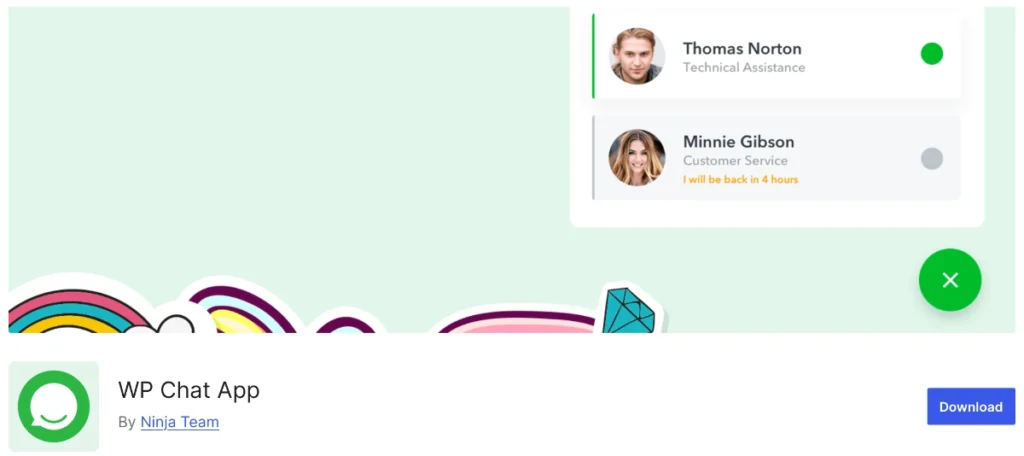
WP Chat App, developed by Ninja Team, combines a floating WhatsApp widget with agent profiles and order-related WooCommerce messaging.
Best for: WooCommerce stores wanting customers to message a specific agent about an order through WhatsApp.
Key features: A widget displaying agent names and photos, an order-on-WhatsApp option for WooCommerce, multi-agent accounts, pre-filled shortcode messages, and working-hours display.
Advantages: The agent-profile approach gives the widget a more personal feel than a generic button, suiting businesses that want customers to recognize who they’re talking to.
Limitations: Public documentation on which features are free versus paid is thinner than for some competitors, so confirm the exact split before committing to a plan.
Free vs. paid: The WordPress.org listing describes agent profiles, order messaging, and multi-agent accounts among its features, but we couldn’t verify the exact free-versus-paid breakdown or pricing officially. Check the developer’s site before choosing a plan.
Final verdict: A reasonable pick for sellers who like the agent-profile format, provided you confirm current pricing and limits with the developer first.
Tidio

Tidio is not a WhatsApp-only plugin. It’s a broader live-chat and AI chatbot platform that happens to include WhatsApp as a supported channel, worth including because many readers comparing WhatsApp plugins are really deciding between a lightweight button and a full support platform.
Best for: Teams wanting WhatsApp alongside live chat and an AI chatbot in a single dashboard, rather than a standalone button.
Key features: A live-chat widget, the Lyro AI chatbot, WooCommerce cart-recovery triggers, and a visual bot builder, with WhatsApp as a connected channel on paid plans.
Advantages: If you already run, or plan to run, live chat and want WhatsApp folded into the same inbox, Tidio avoids managing two separate systems.
Limitations: WhatsApp isn’t available on Tidio’s free plan; it needs at least the Starter tier, making Tidio heavier and pricier than a dedicated plugin if WhatsApp is your only channel.
Free vs. paid: The free plan covers core live chat and chatbot features without WhatsApp. Per Tidio’s pricing page, Starter (which unlocks WhatsApp) starts at $24.17/month, with Growth from $49.17/month and higher tiers priced by contacting sales.
Final verdict: The right choice for an omnichannel support platform, not simply the best option if you only want a WhatsApp button.
Best Plugins by Use Case
- Best overall: WhatsApp ChatHelp — fullest combination of multi-agent support, WooCommerce placement, and customization.
- Best for multiple WhatsApp agents: WhatsApp ChatHelp or WP Chat App — agent-based routing without a full help desk.
- Best free WhatsApp button: Click to Chat — usable free version with several button styles.
- Best for WooCommerce stores: WhatsApp ChatHelp — most WooCommerce-specific button placements compared here.
- Best for beginners: Joinchat — proven, low-maintenance setup with minimal configuration.
- Best for omnichannel chat: Tidio — WhatsApp alongside live chat and a chatbot in one inbox.
- Best for advanced customization: WhatsApp ChatHelp or Social Chat — layout flexibility and, with Social Chat, chatbot flows.
Dedicated WhatsApp Plugin vs. Omnichannel Chat Tool
Not every “WhatsApp plugin” solves the same problem. It helps to separate three categories before choosing one.
A dedicated WordPress WhatsApp plugin, like WhatsApp ChatHelp, Joinchat, Click to Chat, or WP Chat App, does one job: it opens a WhatsApp conversation, usually through a floating button or wa.me link. These are lightweight, install quickly, and are built specifically around WordPress and, in some cases, WooCommerce.
A social-channel widget, like Chaty, expands that idea to multiple messaging apps at once, giving visitors a choice of WhatsApp, Messenger, Telegram, or others from a single widget. This suits sites whose audience doesn’t universally prefer WhatsApp.
A full live-chat or omnichannel platform, like Tidio, goes further still, centralizing WhatsApp, website chat, and often a chatbot into one agent dashboard. This is closer to a customer-support system than a chat button.
So which fits your site? If WhatsApp is genuinely your customers’ preferred channel, a dedicated plugin is usually lighter, cheaper, and faster to set up. If visitors are split across channels, a widget like Chaty avoids limiting them to one option. And if you run a support team that needs a shared inbox and reporting, a platform like Tidio will do more than any WhatsApp-specific plugin, at a higher monthly cost.
How to Choose
Once you understand the categories above, narrow your decision using these practical factors:
- Number of agents: If more than one person will respond, pick a plugin with multi-agent routing rather than one shared number.
- WhatsApp-only vs. multiple channels: Decide whether visitors reliably prefer WhatsApp or split across apps like Messenger and Telegram.
- WooCommerce needs: Check exactly which WooCommerce pages a plugin supports, not just whether it’s labeled “compatible.”
- Design and placement controls: Look for control over button position, color, icon, and trigger behavior, since a poorly placed widget can cover content on mobile.
- Page-level targeting: Confirm you can show or hide the button on specific pages, such as a contact form that already handles inquiries.
- Business hours and scheduling: If your team isn’t available around the clock, scheduling avoids showing an “online” button when no one will respond.
- Free versus paid requirements: List the features you actually need, then check which plan includes them rather than assuming the free version covers everything.
- Data ownership and platform dependence: A plugin storing leads in your own WordPress database gives more control than one living only in a third-party dashboard.
- Maintenance and support: Check the plugin’s WordPress.org support forum and changelog for how actively it’s updated, since abandoned plugins pose security risks.
Final Recommendation
If you want one plugin that handles multi-agent conversations and WooCommerce-specific buttons without adding a second tool, WhatsApp ChatHelp is the strongest overall option here. If you only need a simple, reliable click-to-chat button, a free plugin like Click to Chat or Joinchat may be all you need. And if you’re running a larger support operation spanning WhatsApp, live chat, and email, an omnichannel platform like Tidio will likely serve you better than any WhatsApp-specific plugin.
You can install ChatHelp’s free version directly from WordPress.org and add multi-agent or WooCommerce features later, or compare Pro plans on the pricing page first.
Frequently Asked Questions
What is the best WhatsApp chat plugin for WordPress?
WhatsApp ChatHelp is the best overall choice for most WordPress sites, thanks to its multi-agent support and WooCommerce-specific button placements. Simpler needs may suit a free plugin like Click to Chat better, while larger support teams may prefer an omnichannel platform like Tidio.
Is there a free WhatsApp chat plugin for WordPress?
Yes. Plugins including WhatsApp ChatHelp, Joinchat, Click to Chat, Chaty, and WP Chat App all offer free versions on WordPress.org with a working WhatsApp button. Free versions typically limit you to one agent and fewer customization options, with multi-agent routing and deeper WooCommerce features reserved for paid upgrades.
Can multiple agents use one WordPress WhatsApp plugin?
Yes. Several plugins here, including WhatsApp ChatHelp and WP Chat App, support multiple agents, usually by routing visitors to different WhatsApp numbers or team members. This is typically a paid-plan feature rather than free, so check each plugin’s pricing page before assuming it’s included.
Does a WhatsApp plugin work with WooCommerce?
Several plugins add WhatsApp buttons to WooCommerce pages, though coverage varies. WhatsApp ChatHelp and Click to Chat both include product-page integration, with ChatHelp extending to cart and checkout pages in its paid version. Confirm exactly which pages a plugin supports before choosing one for a store.
Can I add a WhatsApp button without coding?
Yes. Every plugin here is designed for non-technical users, with settings managed through the WordPress dashboard rather than code editing. Most support Gutenberg, and several also work with page builders like Elementor, so you can add and configure a button without touching a line of code.
Does WhatsApp offer an official WordPress plugin?
No. Meta, which owns WhatsApp, does not publish an official WordPress plugin. All the plugins here are built by third-party developers using WhatsApp’s public click-to-chat links (wa.me) or, in some cases, the WhatsApp Business API.
Will a WhatsApp chat plugin slow down my website?
A well-built WhatsApp plugin typically adds a small floating widget with minimal effect on page speed, since it doesn’t load a full chat interface until clicked. Impact varies by plugin and by how many extra scripts, like analytics tracking, are enabled, so check page speed before and after activation.
What is the difference between WhatsApp chat and live chat?
A WhatsApp chat plugin sends conversations into WhatsApp itself, where visitors and agents reply from their phones outside your site. Live chat keeps the conversation inside a widget on your site, often through a dedicated dashboard. Some platforms, like Tidio, combine both by routing WhatsApp messages into a live-chat-style inbox.