

Shipping a lightweight T-shirt and a bulky piece of furniture at the same flat rate doesn’t always make financial sense. The same applies to orders with different quantities, delivery destinations and customer requirements.
WooCommerce provides several built-in shipping options, but as your store grows, you may need additional WooCommerce plugins to manage more complex shipping and other operational requirements.
The best WooCommerce shipping plugins let you calculate shipping costs based on weight, quantity, order value, product type, destination or real-time carrier rates.
In this article, we’ll compare seven shipping plugins that give you greater control over delivery charges and help you find the right solution for your store.
Table of Contents
Best WooCommerce Shipping Plugins at a Glance
Not every shipping plugin solves the same problem. Some specialize in weight-based calculations, while others support advanced conditional rules, custom formulas or live carrier rates.
We’ve selected the following plugins based on their shipping calculation capabilities, conditional flexibility, configuration options and suitability for different business requirements.
| Shipping Plugin | Best For | Free Version |
| Flexible Shipping by Octolize | Expandable table rate shipping | Yes |
| WowShipping | Advanced conditional shipping and rate simulation | Yes |
| Table Rate Shipping by Woo | Official WooCommerce table rate solution | No |
| Weight Based Shipping | Weight-based shipping calculations | Yes |
| PH Table Rate Shipping Pro | Managing extensive shipping rule tables | No (Pro edition) |
| Conditional Shipping and Table Rates | Custom formula-based shipping | No |
| ShipperHQ | Complex carrier-based shipping | Yes |
How We Selected These WooCommerce Shipping Plugins
We reviewed official product documentation, feature lists and available plans to select plugins that address different shipping requirements. Our selection was based on the following criteria:
- Shipping rate flexibility: Support for fixed, table rate, incremental, formula-based or live carrier shipping rates.
- Conditional rules: Ability to calculate shipping costs based on weight, quantity, cart value, product type, location and customer roles.
- Ease of configuration: How much technical knowledge and setup effort are required to configure and manage shipping rules.
- Shipping rate validation: Availability of simulation, debugging or other tools for verifying shipping calculations.
- Scalability: Ability to accommodate increasingly complex shipping requirements as a store grows.
- Pricing and value: Availability of free versions, premium features and additional extension requirements.
We prioritized plugins that solve practical shipping rate calculation problems rather than those focused primarily on label printing, shipment tracking or order fulfillment.
7 Best WooCommerce Shipping Plugins for Flexible Shipping Rates
1. Flexible Shipping by Octolize
Flexible Shipping by Octolize is an established table rate shipping plugin for WooCommerce. It lets store owners calculate shipping costs based on predefined rules rather than charging every customer the same delivery fee.
Its free version supports shipping calculations based on weight and cart value, making it a practical starting point for stores with relatively straightforward shipping requirements.
The Pro version extends these capabilities with product-specific conditions, shipping classes, quantity-based rates and more.
Key features:
- Weight and cart value-based shipping rates.
- Unlimited shipping methods and rules per shipping zone.
- Free shipping thresholds.
- Product, category, quantity and shipping class conditions in Pro.
- Conditional shipping method visibility in Pro.
- Debug mode and predefined shipping scenarios.
Best for: Stores looking for an established table rate shipping solution with the option to expand their shipping capabilities as the business grows.
Limitations: Advanced capabilities such as distance-based shipping, box packing and live carrier rates require separate extensions or bundles. Configuring shipping methods with multiple conditions and interacting rules may also involve a learning curve.
Pricing: Free version available, with premium subscriptions and multiple extension bundles. Starts at $99/year.
2. WowShipping
WowShipping is a WooCommerce table rate shipping plugin designed for stores that need advanced shipping conditions without having to build complicated shipping formulas.
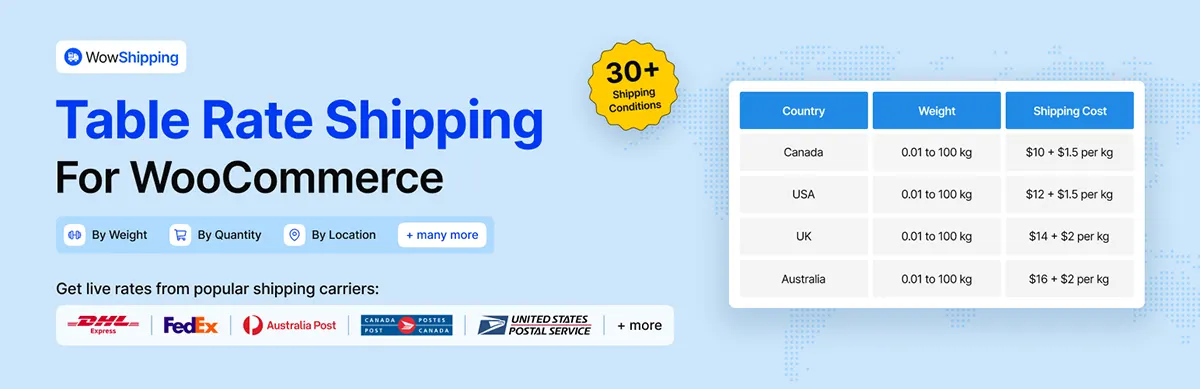
With over 30 shipping conditions across its free and premium editions, you can configure delivery charges based on cart contents, product attributes, customer roles, locations and purchase requirements.
WowShipping’s free version supports weight, cart value and quantity-based shipping rates, making it a practical starting point for stores that need more than basic flat rate shipping.
For example, a store selling to both retail and wholesale customers can create different shipping rates according to customer roles and order quantities.
One particularly useful feature is its Live Checkout Simulator. You can create a sample cart, select a customer, enter a shipping destination and check the available shipping methods and calculated costs directly from the dashboard.
This is helpful when multiple shipping rules interact, as you can verify the expected charges without repeatedly going through the storefront checkout.
Key features:
- More than 30 shipping conditions across Free and Pro.
- Fixed, incremental and base-plus-additional shipping charges.
- Advanced conditional shipping rules.
- Live Checkout Simulator for validating shipping configurations.
- Product, customer role and location-based shipping conditions.
- Live shipping rates from carriers including UPS, USPS, FedEx and DHL Express in Pro.
- Conditional free shipping, handling fees and shipping method visibility controls.
Best for: WooCommerce stores that need flexible table rate shipping, advanced conditional rules and a straightforward way to validate their shipping calculations.
Limitations: Advanced product and customer-specific conditions, along with live carrier rates, require the premium version. The carrier integrations focus on displaying live shipping rates at checkout rather than providing a complete shipping label, tracking and fulfillment solution.
Pricing: The free version of WowShipping covers common shipping scenarios, with premium plans available for more advanced requirements. Pro starts at $69 per year for a single site, with occasional promotional discounts.
3. Table Rate Shipping by Woo
Table Rate Shipping by Woo is an official WooCommerce extension that expands the platform’s standard shipping methods with customizable rate tables.
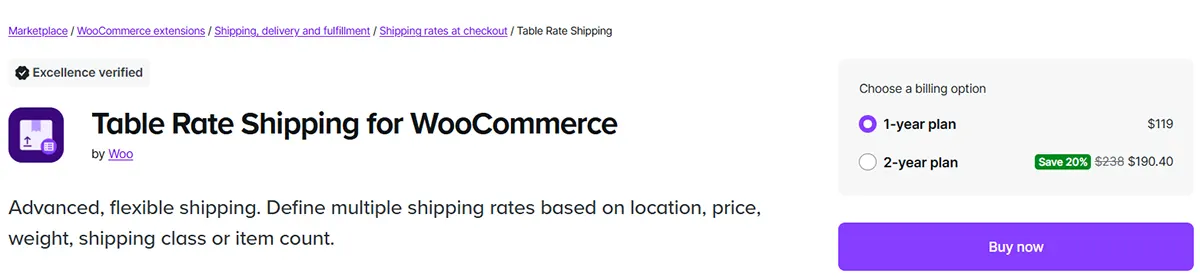
You can configure different rates for each shipping zone and calculate delivery charges based on the entire order, individual items, cart line items or shipping classes.
This makes it particularly useful for stores selling products with different shipping requirements. For instance, a home accessories store can calculate shipping differently for small decorative items and heavy furniture using shipping classes.
Key features:
- Multiple rate tables within a shipping zone.
- Shipping rates based on weight, price and item count.
- Shipping class-specific calculations.
- Per-order, per-item, per-line and per-class calculation methods.
- Fixed, percentage-based and per-weight-unit charges.
- Configurable rate priorities.
Best for: Merchants who prefer an official WooCommerce extension for managing structured shipping rate tables.
Limitations: More complicated shipping scenarios require careful configuration of rate rows, calculation types and priorities. It may be more than a small store needs for basic shipping rules.
Pricing: Premium extensions with annual pricing start from $119.
4. Weight-Based Shipping
Weight-Based Shipping focuses on calculating delivery charges according to the weight of an order.
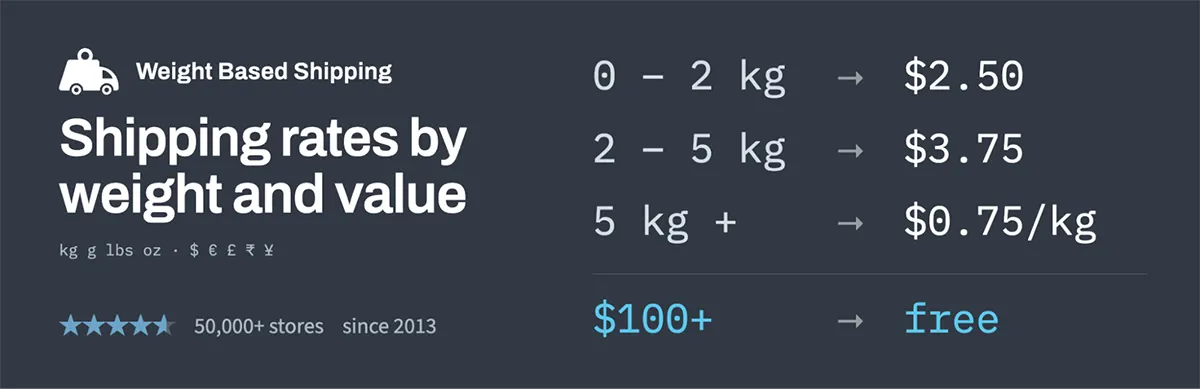
It is particularly suitable for businesses where shipping expenses increase predictably with package weight, such as stores selling books, packaged food, hardware or fitness accessories.
You can create different weight brackets or charge an additional amount for every specified weight increment.
For example, a store could charge $5 for orders weighing up to 2 kg, $8 for orders above 2 kg and up to 5 kg and $12 for heavier orders.
Key features:
- Weight-based shipping brackets.
- Shipping charges per pound or kilogram.
- Fixed and progressive shipping costs.
- Free shipping based on order value or weight.
- Country-specific shipping rules.
- Multiple shipping options at checkout.
Best for: Stores whose delivery charges depend primarily on the total shipment weight.
Limitations: Its core functionality focuses on merchant-defined shipping prices rather than fetching real-time carrier quotes. Accurate product weight data is also essential for reliable calculations.
Pricing: Free version available, with a premium edition for additional rule controls.
5. PH Table Rate Shipping Pro
PH Table Rate Shipping Pro by PluginHive is an advanced shipping solution for stores managing numerous shipping rules across different products and destinations.
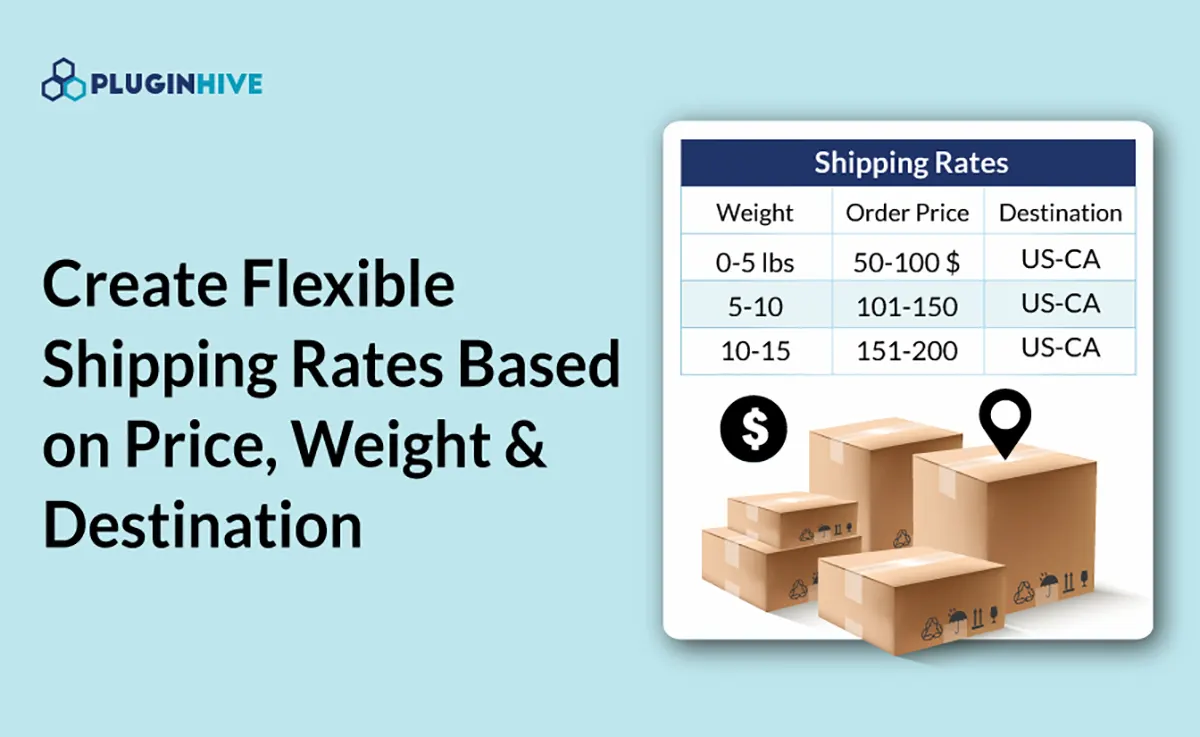
It allows merchants to combine conditions such as product weight, quantity, order value, shipping class, category and delivery location when calculating shipping charges.
Its CSV import and export functionality is particularly useful for businesses maintaining extensive shipping rate tables. Instead of manually entering hundreds of rules, merchants can prepare their shipping data in a spreadsheet and import it into WooCommerce.
Key features:
- Multiple shipping conditions within rate rules.
- Weight, quantity and order-value calculations.
- Shipping rates based on destination and postal codes.
- Shipping class and category-based rules.
- Flexible base and incremental charges.
- CSV import and export of shipping rules.
Best for: Stores managing large shipping rate tables, multiple delivery regions or extensive product-specific shipping requirements.
Limitations: Stores with simple shipping requirements may not need its extensive configuration options. Complex rate tables also require careful maintenance to avoid overlapping rules.
Pricing: Premium annual subscription. Starts at $99 per year.
6. Conditional Shipping and Table Rates
Conditional Shipping and Table Rates by Smartenizer is a WooCommerce extension that combines conditional shipping rules with formula-based cost calculations.
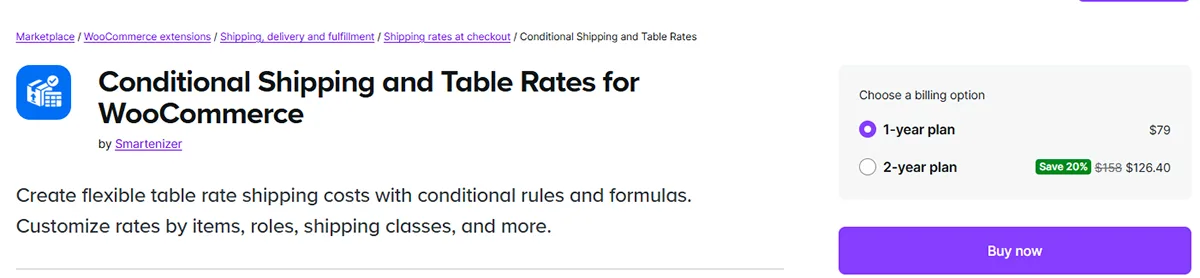
Unlike plugins that primarily rely on predefined rate structures, this extension allows merchants to use arithmetic formulas and shortcodes to calculate shipping costs dynamically.
This is useful when your business calculates delivery charges using a combination of base costs, per-item charges, percentages and other variables.
Key features:
- Conditional shipping rules based on cart and customer information.
- Arithmetic formulas for shipping cost calculations.
- Product, category and shipping class-based rates.
- Customer role-specific shipping methods.
- Minimum and maximum shipping cost thresholds.
- Weight and dimension-based shipping conditions.
Best for: Merchants who need custom mathematical formulas and greater control over how shipping costs are calculated.
Limitations: Formula-based calculations introduce an additional learning curve. Merchants should carefully verify their formulas before making them available to customers.
Pricing: Premium extension available through the WooCommerce Marketplace. Starts at $79 per year.
7. ShipperHQ
ShipperHQ is an advanced shipping rate management platform that integrates with WooCommerce.
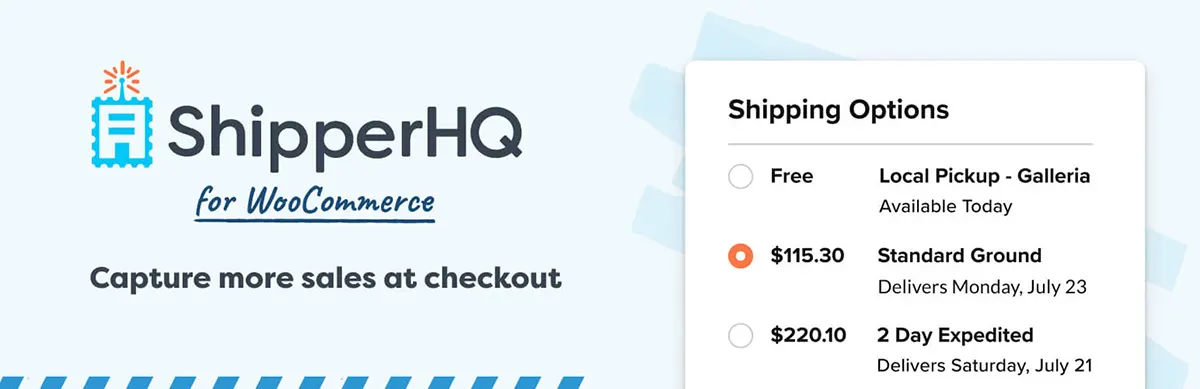
While conventional table rate shipping plugins focus on rules defined by the store owner, ShipperHQ is particularly useful for businesses that need live carrier rates alongside sophisticated shipping logic.
Its dimensional packing functionality can determine suitable packaging based on product and box dimensions. This helps businesses account for how their products are packed when calculating carrier shipping rates.
ShipperHQ also supports shipping rules, multiple shipping origins and location-specific delivery options, depending on the selected plan.
Key features:
- Real-time shipping rates from multiple carriers.
- Advanced shipping rules and surcharges.
- Dimensional packing calculations.
- Multiple shipping origins.
- Conditional shipping method visibility.
- Delivery date and time functionality.
Best for: Growing and enterprise-level stores with complex carrier requirements, multiple fulfillment locations or specialized packaging needs.
Limitations: ShipperHQ requires an external service subscription and additional configuration. Its plan-based limits and broader logistics capabilities may be unnecessary for stores that only need basic table rate shipping.
Pricing: Paid subscription, with pricing based on business requirements and selected features.
How to Choose the Right WooCommerce Shipping Plugin
Start with how your business calculates shipping costs. A plugin that works well for a small clothing store may not meet the requirements of a wholesale business or a store selling bulky products.
Here are some common shipping scenarios and the plugins best suited to handle them.
| Shipping Scenario | Practical Example | Recommended Plugin |
| Basic table rate shipping | Charge $10 for orders below $50, $5 for orders from $50 to under $100, and offer free shipping from $100. | Flexible Shipping by Octolize |
| Quantity-based shipping | Charge $5 for the first item and $2 for every additional item. | WowShipping |
| Weight-based shipping | Charge $5 for orders below 2 kg and $10 for orders from 2 kg to under 5 kg. | Weight-Based Shipping |
| Customer-specific shipping | Offer different shipping rates to wholesale and retail customers. | WowShipping |
| Product-specific shipping | Calculate different delivery charges for furniture, electronics and accessories using shipping classes. | Table Rate Shipping by Woo |
| Multiple shipping conditions | Calculate shipping costs using a combination of cart value, product quantity and delivery location. | WowShipping |
| Extensive shipping rate tables | Manage hundreds of shipping rules across different postal codes using CSV imports. | PH Table Rate Shipping Pro |
| Formula-based shipping | Charge a $5 base fee plus 2% of the cart subtotal and $1 per item. | Conditional Shipping and Table Rates |
| Live carrier shipping rates | Display real-time shipping quotes based on package dimensions, weight and destination. | ShipperHQ |
| Shipping rate testing | Simulate different carts, customers and destinations to verify shipping charges before making them available to customers. | WowShipping |
If your store needs only one specific type of shipping calculation, a specialized plugin may be sufficient.
However, if you need to manage multiple shipping scenarios from a single dashboard, WowShipping is a practical choice with its 30+ shipping conditions, flexible rate calculation methods and built-in Live Checkout Simulator.
Keep in mind that some advanced shipping capabilities require a premium plan.
Bonus tip: Make shipping information accessible before checkout. Even with properly configured shipping rates, customers may have questions about delivery times, remote-area charges or special delivery requirements. Using WhatsApp chat plugins like WP Chat Help to add a chat button to your WooCommerce product pages gives shoppers a convenient way to ask these questions before placing an order.
Frequently Asked Questions
Can WooCommerce calculate shipping rates without a plugin?
Yes. WooCommerce includes flat rate, free shipping and local pickup options. Its flat rate method also supports basic quantity and percentage-based calculations.
What is the difference between table rate shipping and live carrier rates?
Table rate shipping calculates delivery charges using rules defined by the merchant. Live carrier rates retrieve shipping quotes from carriers based on shipment information. Some WooCommerce shipping plugins support both approaches.
Can WooCommerce offer free shipping and paid shipping simultaneously?
Yes. Customers can see both free and paid shipping methods when they meet the relevant conditions. WooCommerce also provides a setting to hide other shipping rates when free shipping becomes available.
Final Thoughts
The best WooCommerce shipping plugin depends on how you calculate delivery charges and the complexity of your shipping requirements.
Flexible Shipping by Octolize is a solid choice for stores looking for an established table rate shipping solution with an expandable ecosystem.
If you need advanced conditional rules, multiple rate calculation methods, and a way to validate shipping costs without repeatedly going through checkout, WowShipping is worth considering.
Both offer free versions, so you can start configuring shipping rules before committing to a premium plan. For specialized requirements such as custom formulas, extensive rate tables, or complex carrier logistics, consider the other alternatives covered in this article.