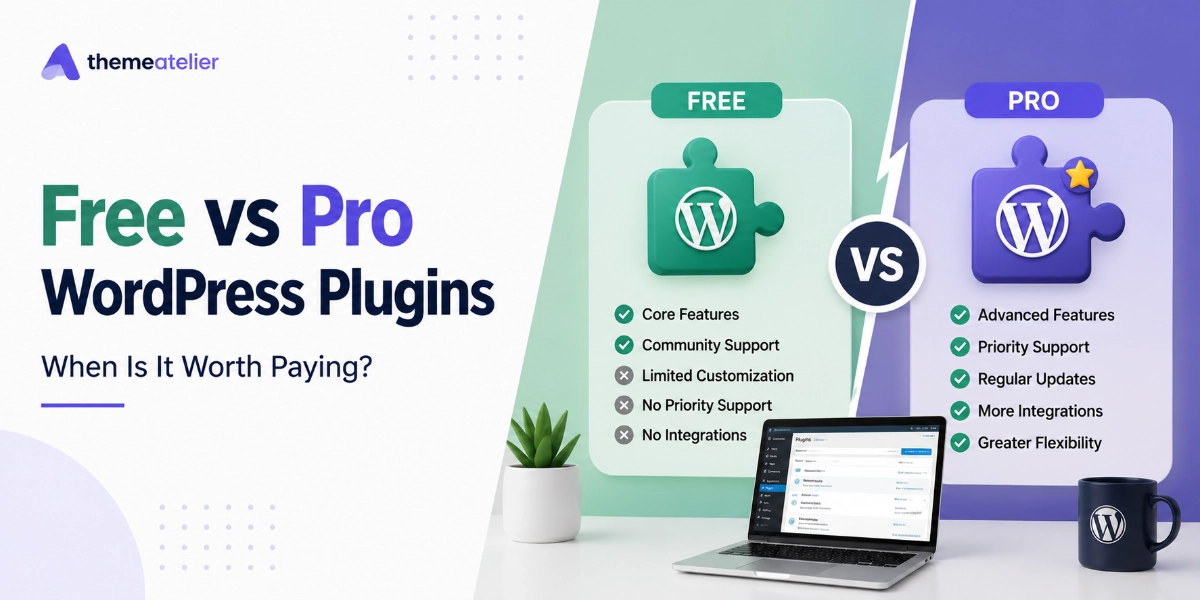

You know the moment. You installed a free plugin, it worked beautifully for months, and then you hit the one feature you actually need — and it’s behind the Pro upgrade. So you sit there wondering whether this is a fair ask or a shakedown. The free vs pro WordPress plugins question isn’t really about price. It’s about knowing which situation you’re in.
Here’s the short answer: a free plugin is enough when your site is low-stakes, your needs match the free feature set, and you can afford to wait for community support. Paying for Pro makes sense when the plugin touches revenue, when you need guaranteed support and updates, or when the time you’re losing on workarounds costs more than the license. We build both — our free plugins run on thousands of sites via WordPress.org — so we’ll walk you through the honest version of this decision, not the sales-page version.
Table of Contents
Key Takeaways
- Free WordPress plugins are genuinely enough for low-stakes sites where the free feature set covers your needs and support delays won’t cost you money.
- Pro plugins are worth paying for when the plugin touches revenue, lead capture, or customer communication — downtime there costs more than any license.
- Patchstack logged 11,334 new WordPress vulnerabilities in 2025, a 42% increase over 2024 — priority security patching is one of Pro’s least visible but most valuable benefits.
- Free plugins don’t expire, but they can be abandoned: WordPress.org closed 1,614 plugins in a single year after developers stopped responding to security reports.
- The real comparison isn’t $0 vs $49/year — it’s total cost of ownership, including your hours spent on workarounds and the risk of running unsupported code.
- A healthy free version is the best product demo that exists: test the developer’s code quality and support attitude for free before you ever pay them.
Free vs Pro WordPress Plugins: What’s Actually Different?
There are more than 60,000 free plugins in the official WordPress.org directory, and the good ones are genuinely good. Free doesn’t mean crippled. In most free-to-pro models (including ours), the free version is the complete core product, and Pro adds depth: more customization, integrations, automation, and — critically — a direct line to the people who wrote the code.
Here’s how the two tiers typically compare across the things that actually matter:
| Free Version | Pro Version | |
|---|---|---|
| Support | Community forums; replies when the developer has time — often days | Priority ticket support with response-time commitments, direct from the plugin team |
| Updates | Compatibility and security fixes, on the developer’s schedule | Same fixes, plus priority patching and ongoing feature development |
| Features | Core functionality that solves the main problem | Advanced options, integrations, styling controls, and automation |
| Security | Depends entirely on whether the plugin is actively maintained | Revenue funds maintenance — patches ship fast because paying customers demand it |
| Total cost of ownership | $0 license + your time on workarounds + risk of abandonment | $30–$100/year typical + your time back + a vendor accountable to you |
Notice that the last row is the only one where “free” has a hidden number in it. That’s the row most comparison posts skip, and it’s the one we’ll spend the most time on below.
When Free Is Genuinely Enough
Let’s start with the answer most plugin companies won’t give you: sometimes you shouldn’t pay. We’ve supported thousands of free users over the years, and a large share of them are using our plugins exactly as intended — at zero cost, forever. That’s not a loophole. That’s the model working.
Free is the right call when:
- The free features cover 100% of your use case. If you need a dark mode toggle and Darkify’s free version gives you a dark mode toggle, you’re done. Don’t pay for options you’ll never open.
- Your site is a hobby, portfolio, or side project. If an hour of downtime costs you nothing but mild annoyance, community-forum support timelines are perfectly acceptable.
- You’re still validating an idea. Launching something new? Stack free plugins, prove the concept, and upgrade the pieces that turn out to matter. Paying before you have traffic is optimizing in the wrong order.
- The plugin is actively maintained. Check the “Last updated” date and the support forum on WordPress.org. A free plugin updated last week with answered support threads is a safe bet. One untouched for two years is not — free or paid.
One honest admission from the developer side: we want free users. Every free install is a stress test, a bug report, and a review we’d never get otherwise. The free tier isn’t charity, and it isn’t bait. It’s how independent plugin shops earn trust before asking for money.
7 Signs It’s Time to Upgrade to Pro
So when does paying stop being optional and start being the obviously cheaper choice? Watch for these seven signals. If two or more sound familiar, the math has probably already tipped.
1. The plugin now touches your revenue
The moment a plugin handles checkout, leads, bookings, or customer chat, its failure mode changes from “annoying” to “expensive.” If our ChatHelp widget is how customers reach a store on WhatsApp, a broken button is a silent leak of sales. Anything in your money path deserves guaranteed support behind it.
2. You’re building workarounds for missing features
Copy-pasting CSS snippets from forums, chaining three plugins to fake one Pro feature, exporting data by hand every week — each workaround is a small tax. Add up the hours. Freelancers bill $50–$100/hour; if a $59 license saves you two hours a year, you’re losing money by staying free.
3. You’ve waited days in a support forum with a live problem
Free support is real support — we answer our WordPress.org forums ourselves — but it’s queued behind everything else. If you’ve ever refreshed a forum thread hourly while something on your site was visibly broken, you’ve already felt the exact thing Pro pricing pays for: a response-time commitment.
4. Security has become your problem, not a hypothetical
In 2025, Patchstack’s State of WordPress Security report logged 11,334 new vulnerabilities across the WordPress ecosystem — a 42% jump over the previous year — and found that 45% of heavily exploited flaws were attacked within 24 hours of disclosure. Patch speed is the whole game, and paid licenses are what fund a team that patches fast. Professional cleanup of a hacked site typically costs more than a decade of Pro licenses.
5. You manage client sites
Different rules apply the moment someone else pays you for the site. Clients expect problems fixed in hours, not whenever a forum volunteer wakes up. A Pro license is the cheapest subcontractor you’ll ever hire: it hands the hardest debugging to the person who wrote the code, and most licenses cover multiple sites.
6. The free version works, but it doesn’t match your brand
Free tiers usually ship with sensible-default styling. If you’re fighting the plugin’s look — wrong colors, wrong position, wrong fonts — you’ve outgrown defaults. Pro tiers exist largely to give you those controls without code. Darkify Pro, for instance, is mostly about custom toggle styles, positions, and per-page rules the free switch doesn’t need.
7. You’d be in real trouble if the plugin disappeared
Ask yourself: if this plugin vanished tomorrow, what breaks? WordPress.org closed 1,614 abandoned plugins in a single year after their developers stopped responding to security reports (Patchstack, 2026). Paying customers are the reason a plugin doesn’t get abandoned. If you depend on it, fund it.
The Real Math: What “Free” Can Cost You
Are pro plugins worth it? Run the numbers on your own situation instead of taking anyone’s word for it — ours included. The formula is simple:
- Hours lost per year to workarounds, manual tasks, and forum-waiting × what your time is worth
- Revenue at risk if the plugin fails during your busiest week
- Recovery cost if an unmaintained plugin becomes the way someone gets in
If that total is comfortably under the license price, stay free — sincerely. For a surprising number of sites, it is. But for a store doing even modest sales, or a freelancer juggling five client sites, one avoided incident pays for years of licenses. That’s the whole “free vs pro WordPress plugins” debate in three bullet points.
How the Free-to-Pro Model Works in Practice
It helps to see the model with real plugins instead of hypotheticals, so here’s how it looks across our own lineup. Every one of these has a genuinely usable free version on our WordPress.org profile, with Pro tiers at ThemeAtelier:
- Darkify — the free version adds a working dark mode toggle to any site. Pro is for sites where the toggle has to match the brand: custom styles, positions, scheduling, and per-page control.
- Eventful — extends The Events Calendar with better layouts for free. Pro matters when events are your business and you need advanced views and customization that make listings convert.
- Domain For Sale — the free version puts a clean “this domain is for sale” page up in minutes. Pro serves domain investors managing portfolios, where better inquiry handling directly affects sale price.
- ChatHelp — free gets a WhatsApp chat button on your site today. Pro is for businesses where that button is a primary sales channel: multiple agents, styling, and targeting rules.
- Better Chat Support for Messenger — same logic, Facebook Messenger edition. Free connects the channel; Pro tunes when, where, and how it appears so it captures leads instead of just existing.
Spot the pattern? In every case the free version solves the problem, and Pro kicks in when the problem becomes business-critical or brand-critical. That’s the line we’d tell you to draw with any developer’s plugins, not just ours.
Frequently Asked Questions
Are pro plugins worth it?
Pro plugins are worth it when the plugin affects revenue, when you need guaranteed support, or when workarounds are costing you more time than the license costs in money. For hobby sites where the free features already cover your needs, the honest answer is no — stay free until that changes.
Do free WordPress plugins expire?
No — free plugins never expire, and installed ones keep working indefinitely. The real risk is abandonment: WordPress.org closed 1,614 plugins in one year after developers stopped fixing security issues. Check the “Last updated” date before installing; that matters far more than any expiry date.
Is it safe to use free plugins from WordPress.org?
Yes, generally — every WordPress.org plugin passes an initial code review, which is more than most marketplaces require. Safety over time depends on maintenance: pick plugins that are updated regularly, tested with the current WordPress version, and have active support forums, and you’ve removed most of the risk.
Will I lose my settings when upgrading from free to pro?
With well-built plugins, no. The Pro version installs alongside or replaces the free one and inherits your existing settings, so the upgrade takes minutes. Ours work this way, and it’s worth confirming in the developer’s documentation before purchasing any plugin — a smooth upgrade path is itself a code-quality signal.
Can I go back to the free version if Pro isn’t for me?
Yes. Deactivate Pro, reinstall the free version from WordPress.org, and your core functionality continues — you only lose the Pro-exclusive features. Most reputable developers, including us, also offer a refund window, so trying Pro is a lower-risk experiment than it looks.
The Bottom Line on Free vs Pro WordPress Plugins
The free vs pro WordPress plugins decision comes down to stakes, not features. Free is the right choice while your site is low-risk and the free feature set fits. Pro becomes the right choice the day the plugin starts touching money, clients, or your reputation — because at that point you’re not buying features, you’re buying accountability, patch speed, and your own time back.
If you’re already running one of our free plugins — Darkify, Eventful, Domain For Sale, ChatHelp, or Better Chat Support for Messenger — you already know how we build and how we support. When one of the seven signs above starts describing your site, take a look at what the Pro versions add. And if free still covers you? Keep using it with our blessing. That’s what it’s there for.