
Best WordPress form plugins power millions of websites, handling everything from simple contact pages to complex lead-generation funnels—and forms remain the backbone of most WordPress websites. From simple contact pages to complex lead-generation funnels, traditional form builders continue to power millions of interactions every day. They’re familiar, reliable, and deeply embedded in the WordPress ecosystem.
But the way users interact with websites is changing.
Today’s visitors expect faster responses, fewer steps, and more natural, conversational experiences—especially on mobile. That shift has fueled the rise of chat-based and conversational forms, where users submit information through chat interfaces instead of static form fields.
This doesn’t mean classic forms are going away. It means the landscape is expanding.
In this guide, we’ll break down the best WordPress form plugins across both worlds, helping you choose the right tool based on how your audience prefers to interact.
We’ll cover:
- Classic form builders for contact forms, surveys, payments, and advanced workflows
- Conversational and chat-based form plugins designed for quicker, more engaging interactions
Whether you’re building a simple contact form or a modern, chat-driven lead capture system, this comparison will help you find the best WordPress form plugin for your site in 2026.
Table of Contents
What Is a WordPress Form Plugin?
A WordPress form plugin is a tool that allows you to collect information from visitors directly on your website—without custom code or complex backend work. At its core, it turns user input into action: messages get sent, leads get captured, payments get processed, and data gets stored or routed where it needs to go.
Traditionally, WordPress form plugins have focused on static, field-based forms. These are the familiar layouts most users recognize:
- Contact forms for general inquiries and support
- Survey and feedback forms for collecting opinions and insights
- Payment and booking forms for orders, registrations, and appointments
These plugins typically rely on structured fields—text inputs, dropdowns, checkboxes—presented all at once or across multiple steps. They’re powerful, flexible, and still essential for many websites.
But a second category has gained serious momentum.
Conversational forms approach data collection differently. Instead of presenting a full form upfront, they gather information through chat-triggered inputs, guided prompts, or pre-filled messages inside chat interfaces. The experience feels more like a conversation than a form—faster, more natural, and often better suited for mobile users.
In practice, this can look like:
- Answering a few questions inside a chat window
- Clicking a button that opens a chat with structured, pre-filled information
- Submitting inquiries through messaging platforms rather than email-style forms
So why do both matter in 2026?
Because user expectations aren’t one-size-fits-all. Some visitors prefer structured, traditional forms—especially for longer submissions or formal processes. Others expect instant, conversational interactions that reduce friction and feel more human.
The best WordPress websites don’t choose one or the other. They choose the right form experience for the right moment, using traditional and conversational form plugins together to meet users where they are.
In the sections ahead, we’ll explore the best WordPress form plugins across both categories—so you can decide what fits your site, your audience, and your goals.
How We Chose the Best WordPress Form Plugins
With dozens of WordPress form plugins available, not every option deserves a spot on a “best of” list. To keep this guide practical and trustworthy, we evaluated each plugin using real-world criteria that matter to site owners, developers, and businesses—not marketing hype.
Here’s what we looked at:
- Ease of use – How intuitive the form builder is for beginners and non-technical users
- Flexibility and features – Support for basic contact forms as well as advanced use cases like multi-step forms, conditional logic, payments, and integrations
- Performance impact – How lightweight the plugin is and whether it affects page speed
- Integrations – Compatibility with email marketing tools, CRMs, payment gateways, and automation platforms
- Customization and extensibility – Styling options, hooks, add-ons, and developer flexibility
- Pricing and value – Whether the features justify the cost at different tiers
- Compatibility – Works well with modern themes, page builders, and WooCommerce
- User experience (static vs conversational) – Whether the plugin relies on traditional form layouts, conversational interactions, or a hybrid approach—and how well that experience matches modern user expectations
We focused on plugins that are actively maintained, widely used, and proven across different types of WordPress websites—from blogs and business sites to e-commerce stores and agency builds.
Some plugins in this list are developed by ThemeAtelier. These are clearly labeled and included based on functionality and relevance.
This approach ensures the recommendations that follow are balanced, transparent, and based on how these tools actually perform in real WordPress environments—not just how they look on a feature list.
Quick Comparison Table
To make it easier to compare the best WordPress form plugins at a glance, the table below highlights key differences in features, use cases, and form experience. In addition to core functionality, we’ve included form type to distinguish between traditional, conversational, and hybrid approaches.
This is especially helpful if you’re deciding whether a classic form builder, a chat-based solution, or a combination of both is the best fit for your site.
| Plugin Name | Best For | Free Version | Drag & Drop | Integrations | Form Type |
|---|---|---|---|---|---|
| Gravity Forms | Advanced forms & complex workflows | ❌ No | ✅ Yes | CRM, Email, Payments | Traditional |
| WPForms | Beginners & small businesses | ✅ Yes | ✅ Yes | Email, Payments, CRM | Traditional |
| FormGent | Conversational and multi-step form creation | ✅ Yes | ✅ Yes | CRM, Email, Payments, Captcha, Google Sheets, Maps | Traditional |
| Sigma Forms | AI-powered form creation & analytics | ❌ No (Trial available) | ✅ Yes | Webhooks, SMTP, Captcha | Traditional |
| Ninja Forms | Modular, budget-friendly setups | ✅ Yes | ✅ Yes | Email, Payments | Traditional |
| Formidable Forms | Data-driven forms & surveys | ✅ Yes | ✅ Yes | CRM, Email, Calculations | Traditional |
| Contact Form 7 | Simple, free contact forms | ✅ Yes | ❌ No | Extensions via add-ons | Traditional |
| ARForms | Multi-step forms, surveys & popups | ✅ Yes | ✅ Yes | Mailchimp, Stripe, Zapier, WooCommerce | Traditional |
| ChatHelp | Chat-based lead capture & inquiries | ✅ Yes | ✅ Yes | WhatsApp, WooCommerce | Conversational / Hybrid |
Best Traditional WordPress Form Plugins
Traditional WordPress form plugins remain the go-to solution for structured data collection. They’re ideal for contact forms, surveys, registrations, payments, and workflows that require clear fields, validations, and backend processing.
Below are the best traditional WordPress form plugins, each excelling in a specific use case.
Gravity Forms – Best Advanced WordPress Form Plugin
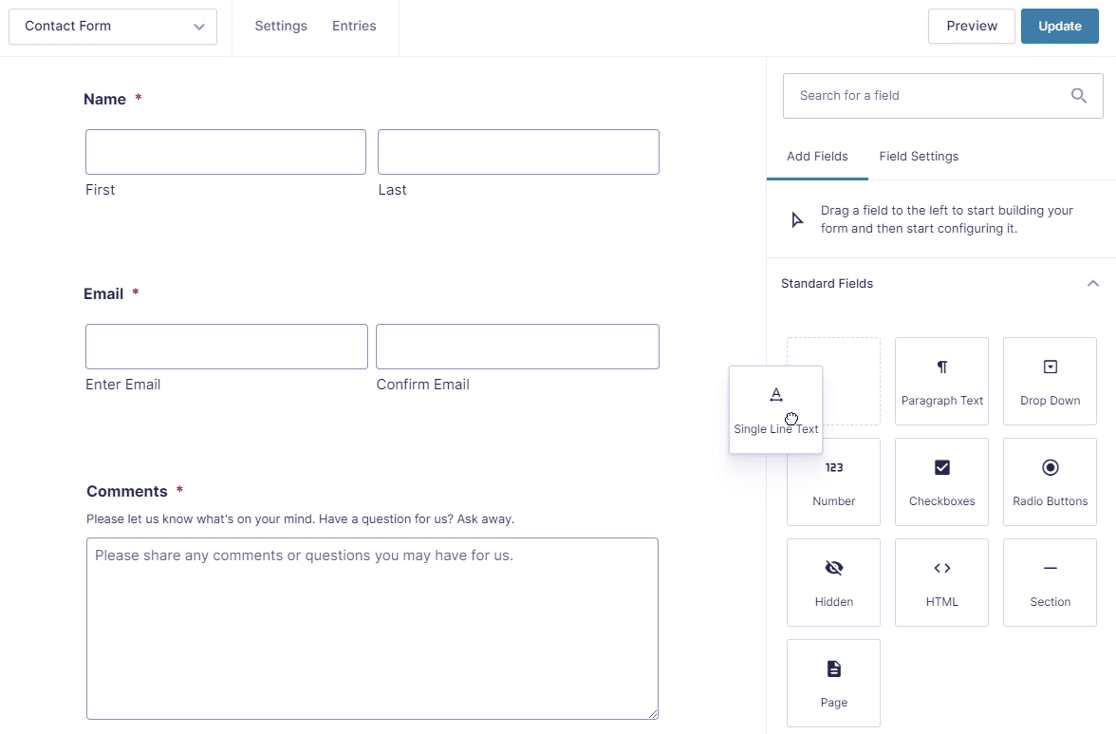
Gravity Forms is widely regarded as the most powerful traditional form plugin for WordPress. It’s built for complex use cases where flexibility, logic, and integrations matter more than simplicity.
Key strengths:
- Advanced conditional logic
- Multi-page and multi-step forms
- File uploads and user registration
- Deep integrations with CRMs, email platforms, and payment gateways
- Developer-friendly hooks and APIs
Best for: Agencies, developers, and businesses that need full control over complex form workflows.
Trade-off: No free version and a steeper learning curve for beginners.
WPForms – Best WordPress Form Plugin for Beginners
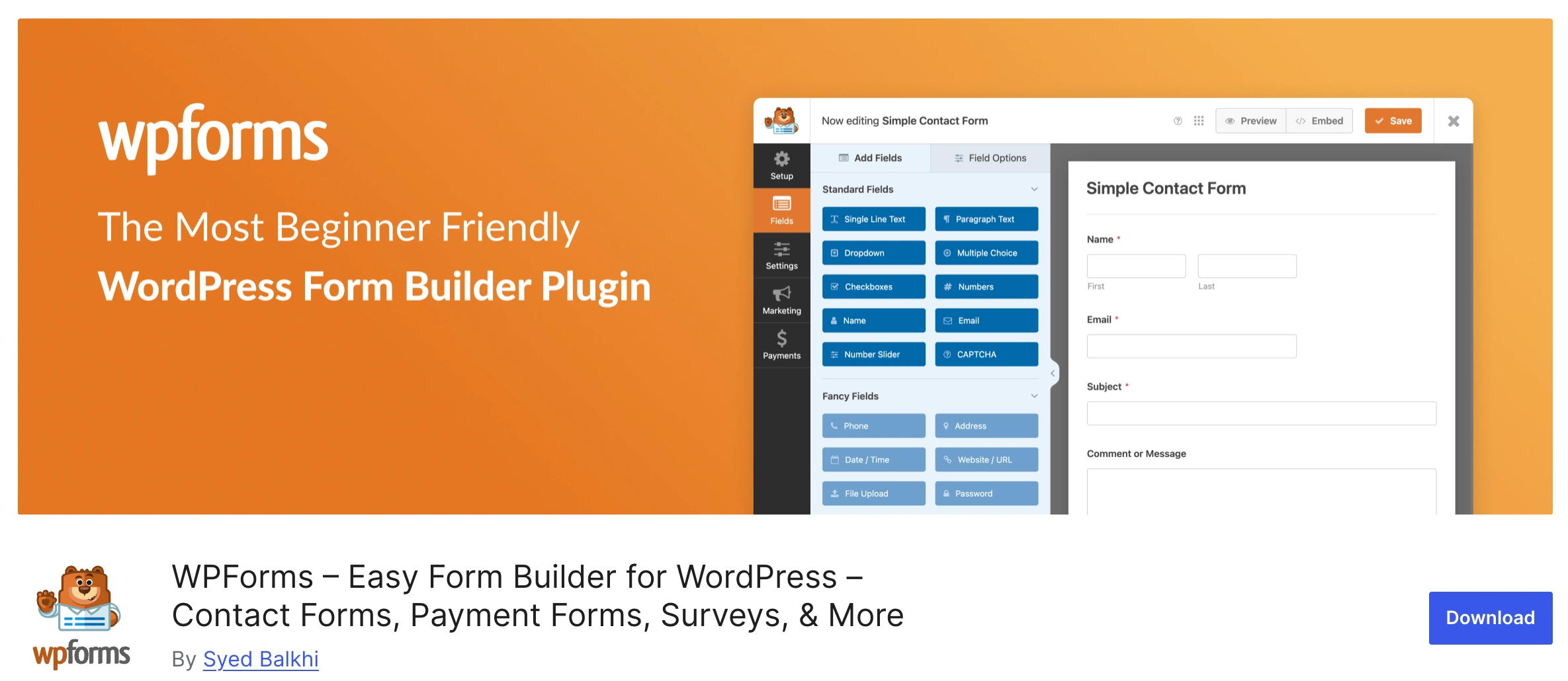
WPForms focuses on ease of use without sacrificing essential features. Its drag-and-drop builder and pre-built templates make form creation fast and approachable for non-technical users.
Key strengths:
- Beginner-friendly interface
- Ready-made templates for contact, newsletter, and payment forms
- Smart conditional logic
- Built-in spam protection
- Smooth integration with popular email and payment services
Best for: Small businesses, bloggers, creators, and anyone who wants to build forms quickly.
Trade-off: Advanced features are locked behind paid plans.
FormGent – Free AI-powered Native Form Builder
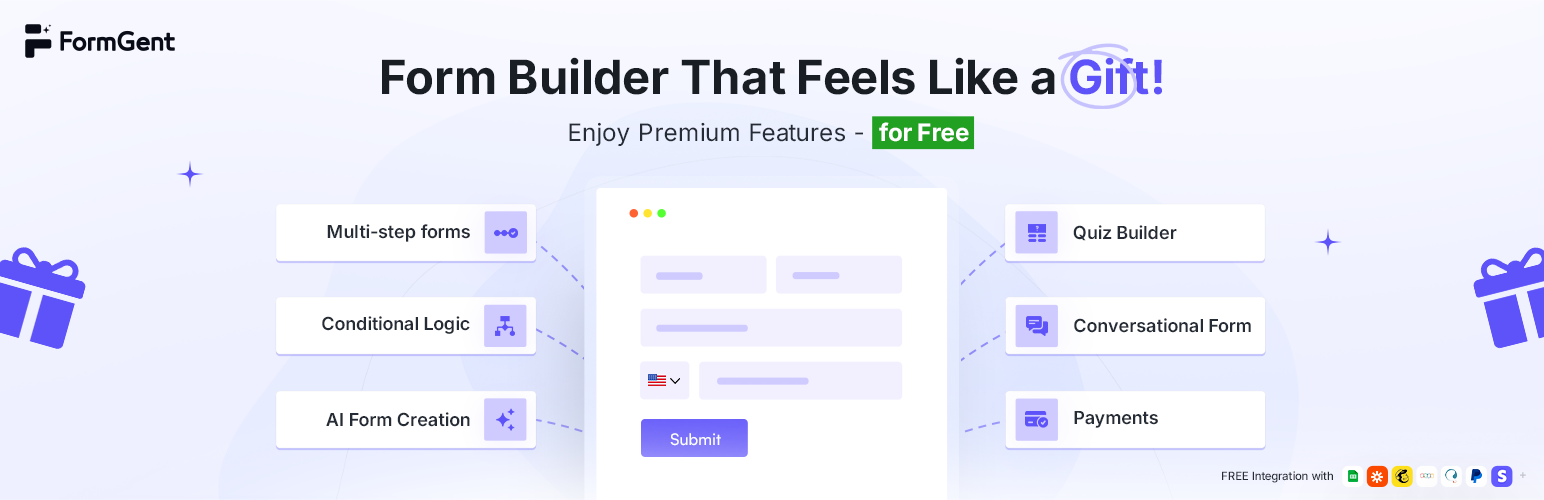
FormGent is a powerful Native builder based form plugin that offers most pro features in the free plan. The plugin is designed to build classic, conversational, multi-step forms using its AI with simple prompts.
Key strengths:
- WordPress-native builder, familiar interface
- Ready-made templates – open for free users
- Conversational form with saved incomplete data
- Multi-step form, Quiz, Payment, and Calculations
- 30 Powerful Fields including File Upload, Range Slider, and Digital Signature
- User CPT Submission and Webhook support
- Integrates with PayPal, Stripe, Zapier, MailChimp, ZohoCRM, Google Sheets, and Captcha
Best for: Small businesses, developers, and agencies working with various websites and building forms at scale.
Trade-off: Fewer integrations than other popular plugins.
Sigma Forms – AI-Powered WordPress Form Builder
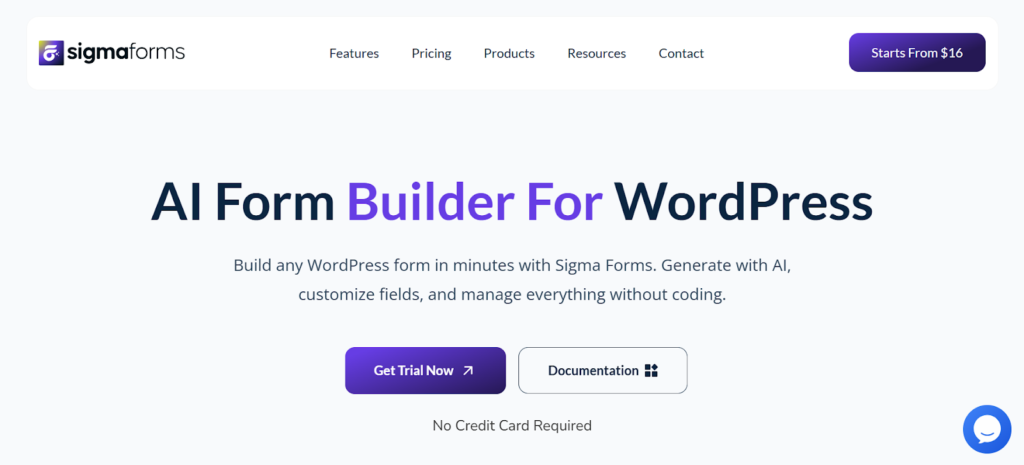
Sigma Forms is an AI-powered WordPress form plugin designed to speed up form creation without changing how traditional forms work. Instead of building forms field by field, users can generate complete forms using AI prompts and refine them as needed.
The plugin focuses on reducing setup time while keeping forms structured, predictable and compatible with common WordPress workflows.
Key strengths:
- AI-based form generation using structured prompts
- 80+ ready-made form templates
- Conditional logic for dynamic field behavior
- Abandoned form tracking with exportable data
- Built-in analytics dashboard for submission and completion insights
- Webhook support for external integrations
- Captcha support for spam protection
Best for: Site owners and teams who want to build traditional WordPress forms faster using AI, without switching to chat-based or conversational interfaces.Trade-off: More focused on form creation speed and analytics than complex workflows or deep native CRM integrations.
Ninja Forms – Best Modular Form Plugin
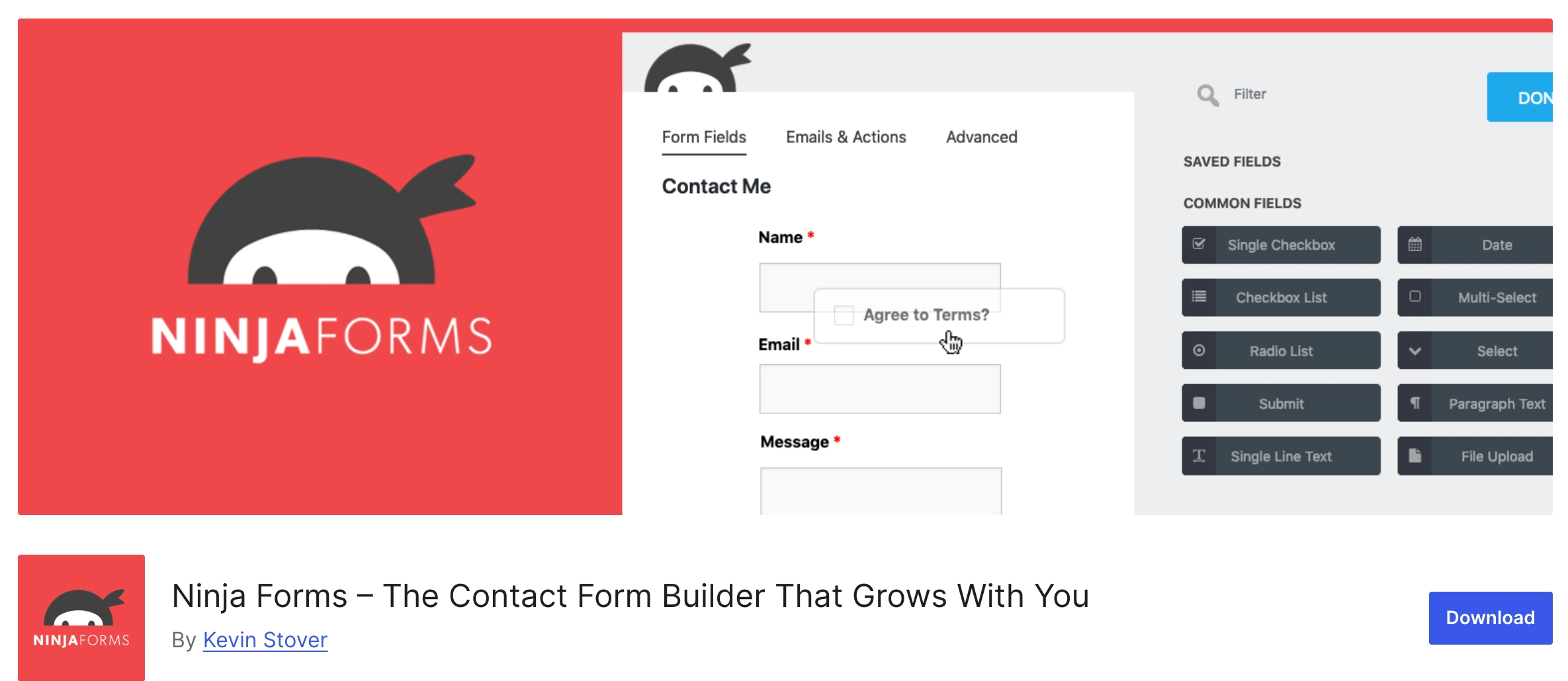
Ninja Forms takes a modular approach, allowing users to start with a free core plugin and add features as needed through extensions. This makes it flexible and cost-effective for growing sites.
Key strengths:
- Drag-and-drop builder
- Pay-only-for-what-you-need add-ons
- Solid integrations with email and payment tools
- Developer-friendly architecture
Best for: Users who want flexibility without committing to an all-in-one premium plugin upfront.
Trade-off: Costs can add up as you stack extensions.
Formidable Forms – Best for Data & Surveys
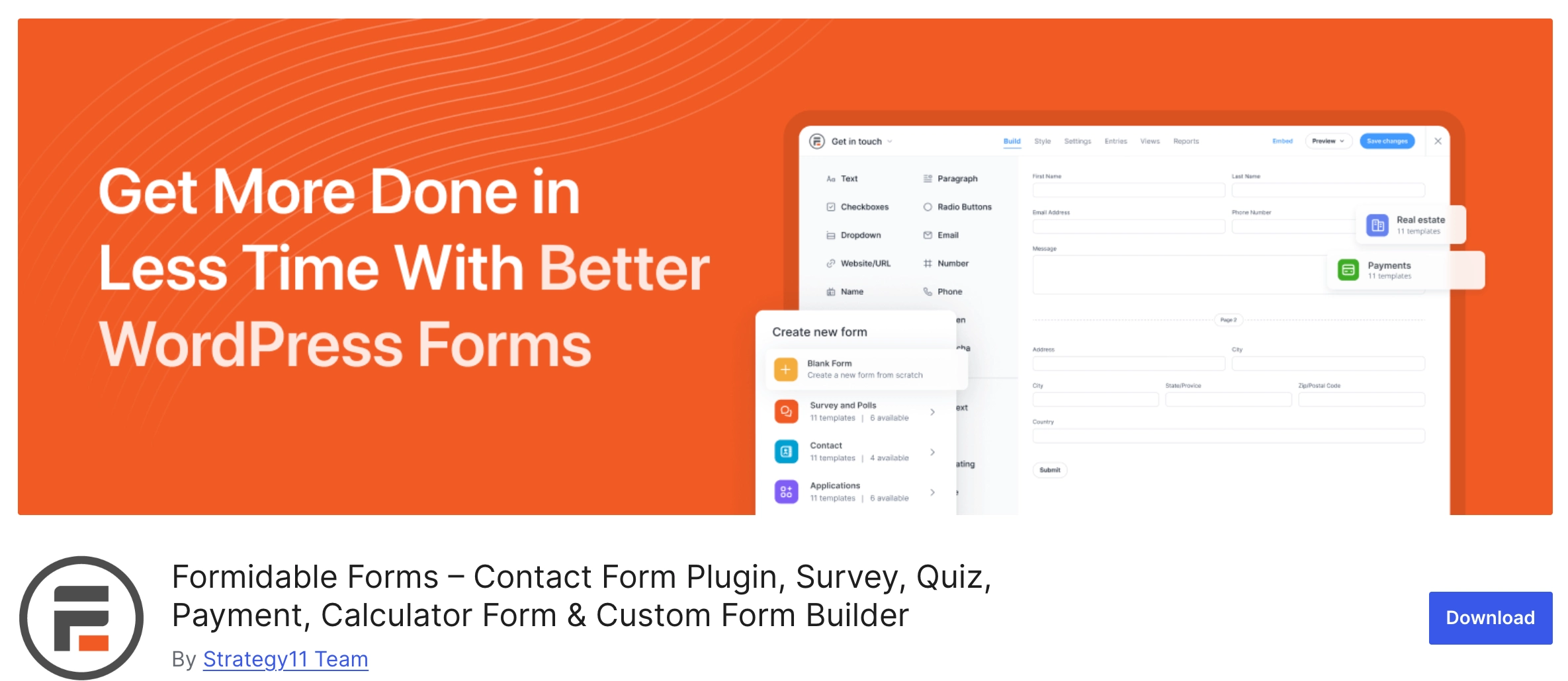
Formidable Forms stands out for its ability to do more than just collect data—it lets you display and analyze it. This makes it especially powerful for surveys, calculators, and data-driven applications.
Key strengths:
- Advanced calculations
- Data visualization (charts, tables, views)
- Form-to-post functionality
- Multi-step and conditional forms
Best for: Survey-heavy projects, directories, calculators, and data-focused websites.
Trade-off: Interface can feel overwhelming for simple use cases.
Contact Form 7 – Best Free WordPress Form Plugin

Contact Form 7 is one of the most widely used form plugins in the WordPress ecosystem. It’s lightweight, free, and highly flexible—but requires more manual setup than modern builders.
Key strengths:
- Completely free
- Lightweight and widely compatible
- Large ecosystem of extensions
- Reliable for basic contact forms
Best for: Developers or users who want a free, no-frills solution.
Trade-off: No drag-and-drop builder and limited features out of the box.
ARForms – Best All-in-One WordPress Form Plugin
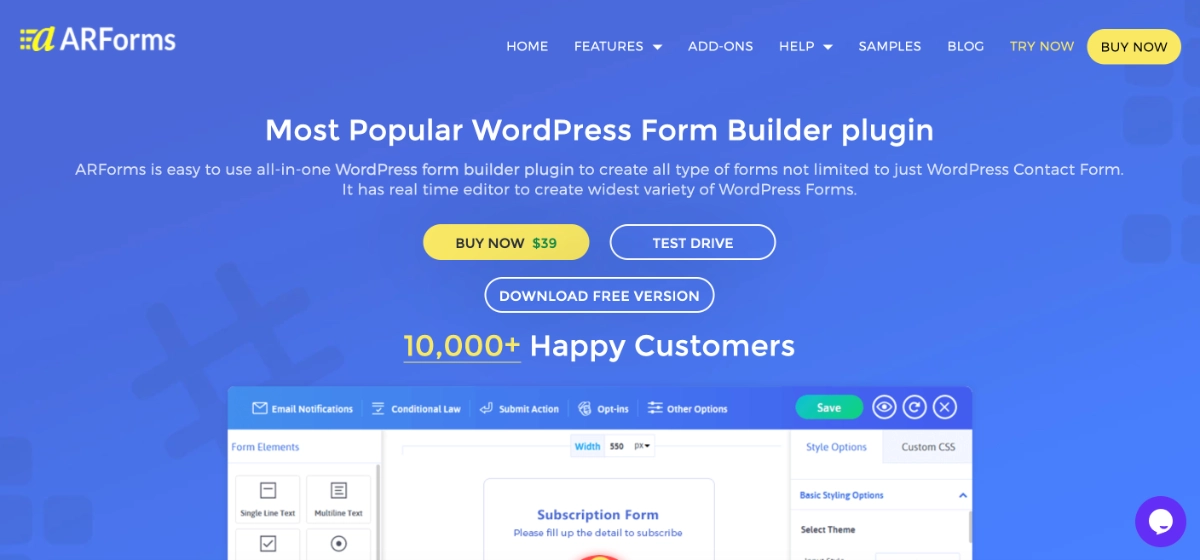
ARForms combines an easy-to-use form builder with advanced form building features, making it best for everything from simple contact forms to complex multi-step forms, surveys, registrations, and payment forms. Its real-time editor, built-in styling options, conditional logic, and extensive integrations give businesses more flexibility without requiring coding knowledge.
Key strengths:
- Real-time drag-and-drop form builder with live preview
- Advanced conditional logic and mathematical calculations
- Multi-step, survey, popup, registration, payment, and contact forms
- Built-in spam protection without requiring CAPTCHA
- Powerful form analytics and entry management
- Extensive integrations with tools like Mailchimp, Stripe, WooCommerce, Zapier, and more
- Fully responsive forms with built-in styling and customization options
- Supports multiple file uploads, auto-save, pre-populated fields, webhooks, and dynamic email notifications
Best for: Businesses, agencies, marketers, and WordPress users who need an all-in-one form builder with advanced features, extensive customization, and flexibility beyond basic contact forms.
Trade-off: Its extensive feature set may feel more advanced than simpler form builders for users who only need a basic contact form.
Best Chat-Based & Conversational Form Plugins
Chat-based plugins don’t compete with Gravity Forms-style builders on complex workflows—and they don’t need to. Their goal is different: reduce friction and get visitors into a real conversation fast. For many businesses, especially mobile-first audiences, that’s the shortest path from “I’m interested” to “Let’s talk.”
ChatHelp – Best WhatsApp Chat Plugin with Built-In Form Lead Capture
(Developed by ThemeAtelier)
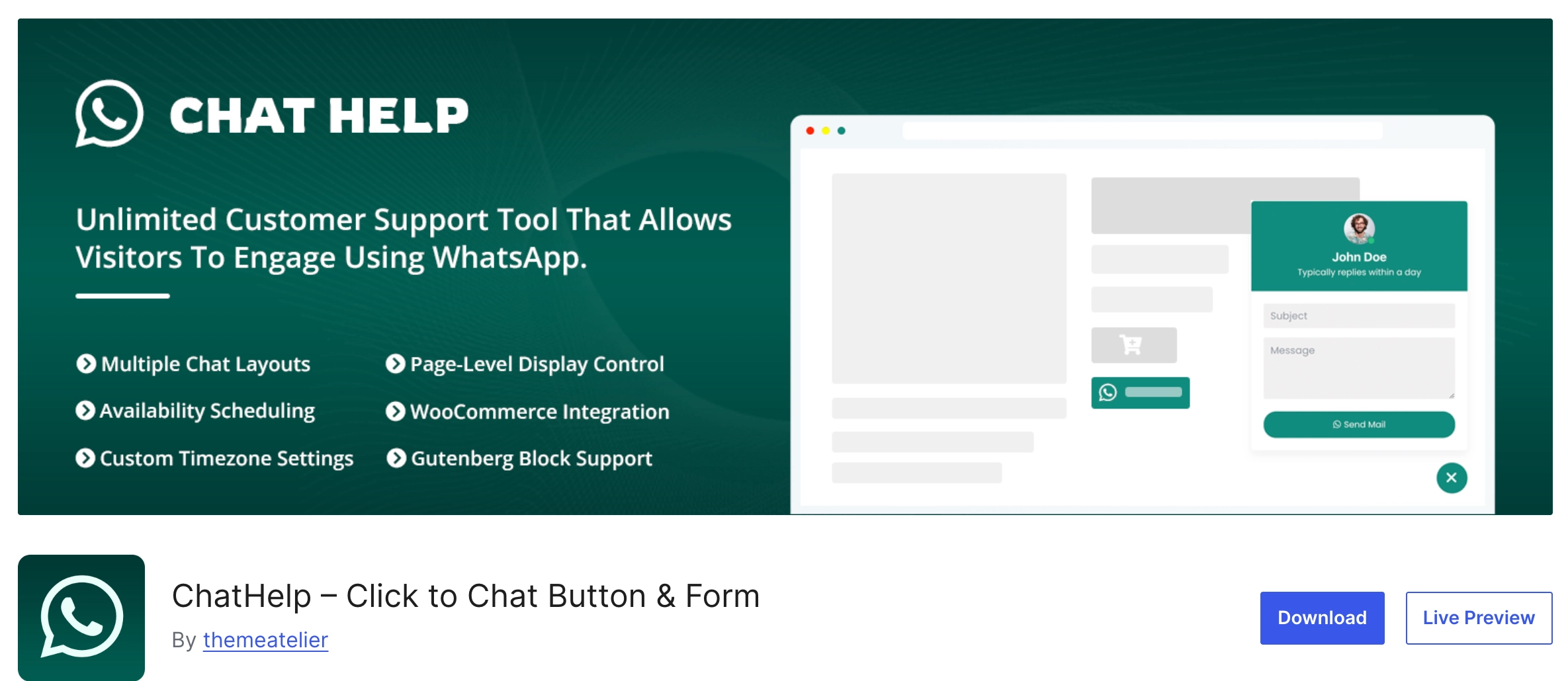
ChatHelp is a WhatsApp chat plugin for WordPress that helps visitors contact you instantly through WhatsApp or WhatsApp Business. It supports a customizable floating chat bubble, WooCommerce product buttons, shortcodes, Gutenberg blocks, and an Elementor widget—so you can place WhatsApp contact points across your site wherever they convert best.
What makes chat-based forms different
Traditional forms usually end in an email or stored submission. ChatHelp flips the experience: it captures key details first and then pushes the visitor directly into WhatsApp, where the conversation continues in the channel they already use every day.
How ChatHelp handles form-style data collection
With the Single Form floating bubble layout, you can collect visitor details inside a floating form (custom fields, labels, placeholders, validation, required fields). Once submitted, ChatHelp auto-builds a ready-to-send WhatsApp message using the form inputs and opens WhatsApp so the user can start the chat.
Key features
- Floating chat bubble with form (Single Form layout) to collect name, email, phone, message, and more before chat starts
- Unlimited/custom fields + smart templates (dynamic placeholders that format submitted data into the WhatsApp message)
- Leads dashboard in WordPress admin: access form submission data and rich metadata (plus search/filter/export options)
- WooCommerce product buttons with dynamic product variables (name, price, SKU, etc.) for product-specific inquiries
- Multiple layouts beyond forms (single agent, multi-agent list/grid, simple/advanced buttons)
Best use cases
ChatHelp is a strong choice when you want leads and instant conversations:
- Lead capture that immediately turns into a WhatsApp conversation
- Support requests where visitors want quick answers (and you prefer WhatsApp over email)
- Sales inquiries where speed and familiarity increase conversions
- WooCommerce product questions that include product context automatically
ChatHelp is not a replacement for advanced form builders—it’s a WhatsApp-first alternative that captures lead details and then redirects visitors to WhatsApp for faster, more conversational interactions.
Other Conversational Form Tools (Optional)
In addition to WhatsApp-focused solutions like ChatHelp, there are several conversational and chat-based tools that approach form-style data collection in different ways. These tools often emphasize guided experiences, automation, or on-site chat rather than direct messaging apps.
While they may not replace traditional form builders, they can be useful depending on how you want users to interact with your site.
Typeform (Conversational UX)
Typeform is known for its one-question-at-a-time interface that feels more like a conversation than a form. It’s commonly used for surveys, feedback, and lead qualification, especially when presentation and user experience matter more than raw speed.
Best for: Surveys, onboarding flows, and visually engaging forms.
HubSpot Chat Forms
HubSpot Chat Forms combine live chat with lead capture and CRM automation. Visitor details are collected directly inside the chat interface and synced with HubSpot’s marketing and sales tools.
Best for: Teams already using HubSpot who want chat-driven lead capture tied directly to their CRM.
Tidio (Chat + Lead Capture)
Tidio blends live chat, chatbots, and basic form-style inputs into a single platform. It’s often used by small businesses looking for a mix of automation and real-time chat.
Best for: Websites that want on-site chat with simple lead capture and chatbot automation.
Traditional Forms vs Chat-Based Forms
Choosing between traditional forms and chat-based forms isn’t about which one is “better.” It’s about when each approach makes the most sense. Both solve different problems—and when used together, they create a smoother, higher-converting user experience.
The comparison below breaks it down clearly.
Comparison: Traditional Forms vs Chat-Based Forms
| Factor | Traditional Forms | Chat-Based Forms |
|---|---|---|
| Speed | Moderate — users must complete all required fields before submitting | Fast — users can start interacting immediately |
| Conversion Rate | Strong for structured, intentional submissions | Often higher for quick inquiries and mobile users |
| User Friction | Higher for long or complex forms | Lower due to conversational, guided interactions |
| Best Use Cases | Contact forms, surveys, registrations, payments, detailed data collection | Lead capture, support requests, sales inquiries, product questions |
How to Think About the Choice
- Traditional forms work best when you need complete, structured information upfront—especially for longer submissions or formal processes.
- Chat-based forms excel when speed, accessibility, and real-time interaction matter more than formality.
Neither replaces the other.
The best sites use both.
Modern WordPress websites combine traditional form plugins for structured workflows and chat-based tools for fast, conversational engagement—meeting users where they are and reducing friction at every step.
Frequently Asked Questions
Are chat-based forms better than traditional forms?
Chat-based forms aren’t better in every situation—they’re better for specific use cases. Traditional forms work well for structured, detailed submissions. Chat-based forms perform better when speed, accessibility, and real-time conversation matter, especially on mobile devices. Many modern websites use both to cover different user needs.
Can ChatHelp replace contact forms?
ChatHelp can replace traditional contact forms for certain scenarios, such as quick inquiries, support requests, and sales conversations. However, for long or highly structured submissions, traditional form plugins are still a better choice. ChatHelp works best as a complementary tool rather than a full replacement.
Is ChatHelp a form plugin or a chat plugin?
ChatHelp is primarily a WhatsApp chat plugin for WordPress that includes form-based lead capture features. It allows visitors to submit details through a floating form and then redirects them to WhatsApp to start a conversation. It’s best described as a chat plugin with built-in form functionality.
Can I use ChatHelp with other form plugins?
Yes. ChatHelp works alongside traditional WordPress form plugins without conflict. Many websites use standard form plugins for structured workflows and ChatHelp for fast, conversational interactions. Using both together often leads to better user engagement and higher conversions.
There is no single “best” WordPress form plugin for every website.
Traditional form plugins remain essential for structured data collection, advanced workflows, and complex submissions. They’re reliable, powerful, and well-suited for contact forms, surveys, registrations, and payments that require clear fields and validations.
At the same time, chat-based tools are reshaping how users expect to interact—especially on mobile and in messaging-first markets. Conversational experiences reduce friction, speed up responses, and turn simple inquiries into real-time conversations.
The most effective WordPress sites don’t choose one approach over the other. They combine traditional form builders with chat-based solutions to create a modern, flexible interaction stack.
The right choice ultimately depends on how your users prefer to communicate—and how quickly you want to turn interest into action.